ASUS WLAN Adapter 37
Chapter 3 - Software Reference
Chapter 3
Software Reference
Soft AP (Windows XP/Vista)
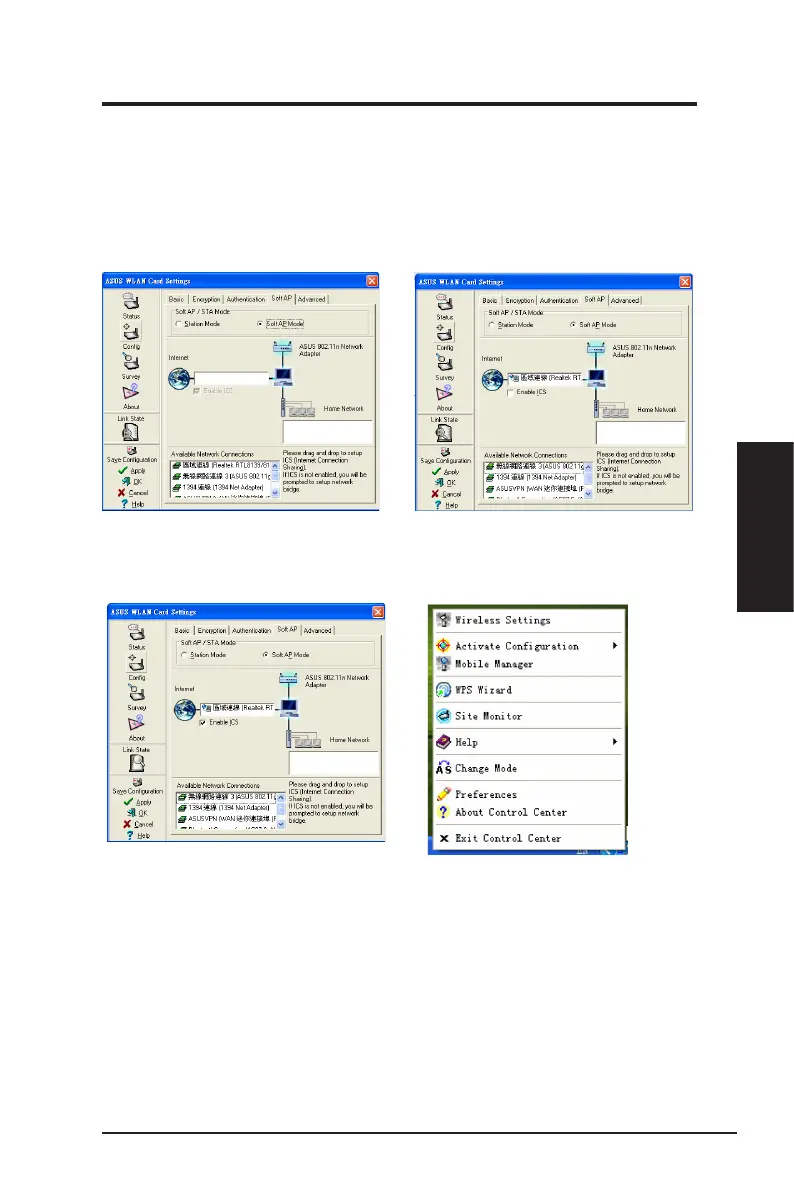
Soft AP mode allows the Wireless LAN card to act as a virtual access point.
The computer needs to be connected to a wired network using an Ethernet
connection in order to provide network access to Wireless LAN clients.
1. Select Soft AP Mode 2. Drag and drop a wired network connec-
tion next to the globe icon.
3. Enable ICS* and Firewall if desired. Refer
to Windows help for information on “
Internet Connection Sharing”.
4. You can easily switch between Soft AP
and Station mode by right clicking the
taskbar icon and selecting “A-S Change
Mode”.
*ICS is used to share this computer’s Internet connection with the rest of the computers on your
network. When this computer is connected to the Internet, communication to and from the Internet
to all the computers on your network are sent through this computer, called the host computer.
Other computers can send and receive email and access the Web as if it were connected directly
to the Internet.



 To Next Page