54 ASUS WLAN Adapter
Chapter 3 - Software Reference
Chapter 3
Software Reference
Windows
®
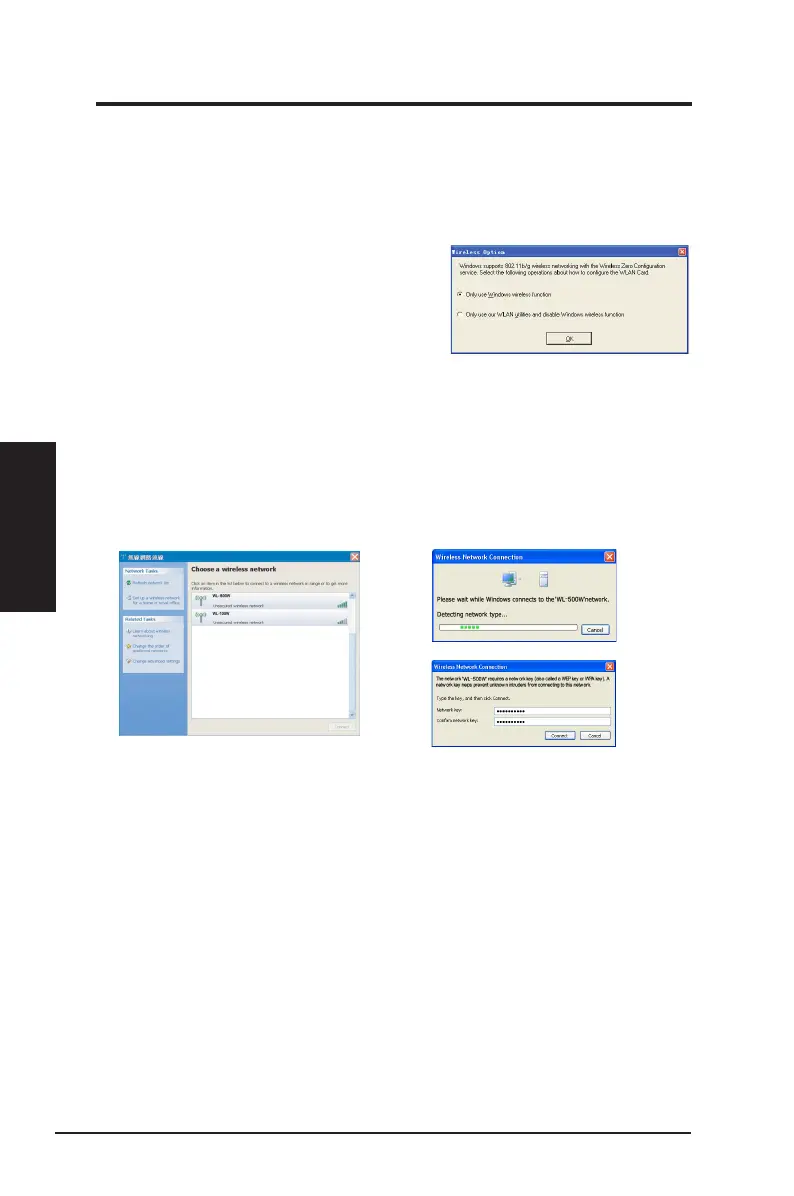
XP wireless options
The wireless options window shown below is only available for Windows
®
XP.
It appears when you run the Control Center utility for the rst time. Select the
utility you want to use for conguring your WLAN Adapter.
Only use Windows wireless function
–
Only use Windows
®
XP Wireless Zero
Conguration service to congure the WLAN
Adapter.
Only use our WLAN utilities and disable
Windows wireless function
–
Only use ASUS WLAN utilities to congure the WLAN Adapter.
Connecting via Windows
®
Wireless Zero Conguration service
To connect to a wireless network via Windows
®
Wireless Zero Conguration
(WZC) service:
2. If you have set up the encryption
key for your access point, key in the
encryption key and click
Connect
.
1. Double-click the wireless network icon
on the Windows
®
taskbar to view the
available networks. Select the access
point and click
Connect
.



 To Next Page