ASUS WLAN Adapter 21
Chapter 2 - Installation
Chapter 2
Installation
Conguring with the WLAN utility
(Infrastructure)
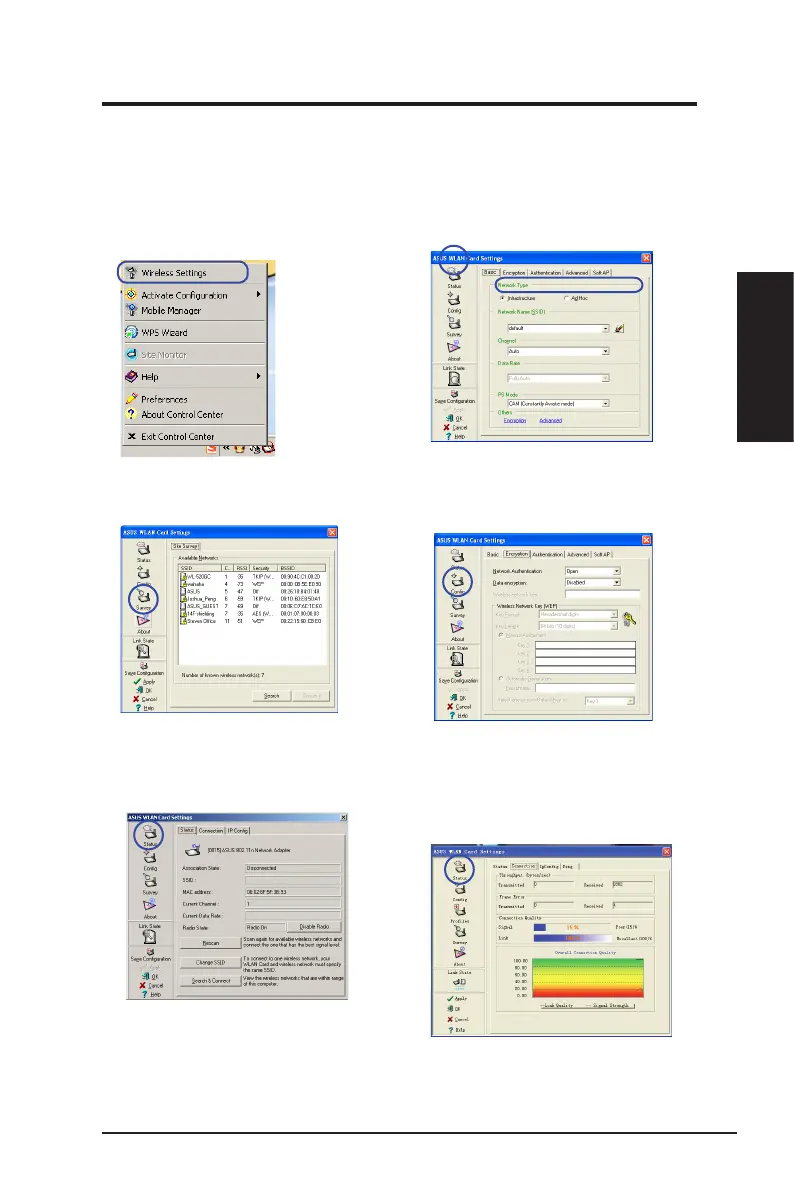
Use ASUS WLAN utility to get connected with an existing wireless network.
6. Check the
Connection
tab to see the
signal strength. Click
OK
to exit the utility.
5. Check the
Status
page to see the
association state. If connection is
established, the box shows “Connected -
xx:xx:xx:xx:xx:xx”.
3. Use
Site Survey
if you do not know the
SSID of your access point.
4. Encryption settings must match those
at the access point. Ask your network
administrator about the settings if
necessary. Click
Apply
to activate the
settings.
1. Right-click the wireless connection icon
and select
Wireless Settings.
2. Check the
Cong
page to set the
SSID
(network name) to that of your wireless AP.



 To Next Page