Chapter 2: Hardware Information
2-16
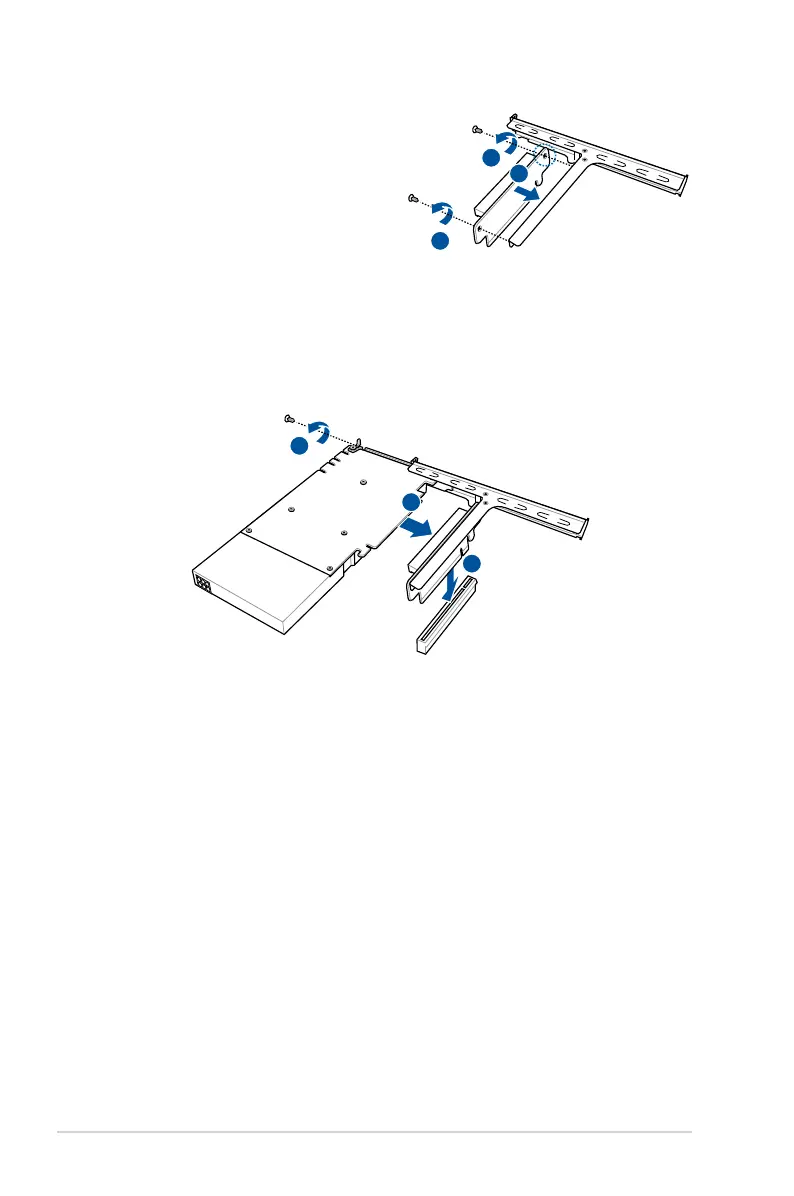
5. Align and install the single PCIE slot
PCB into the riser card bracket.
6. Secure the single PCIE slot PCB to
the riser card bracket with the screws
removed earlier.
5
6
6
7
9
8
7. Install a GPU card to the bracket as shown.
8. Secure the GPU card with a screw.
9. Install the riser card bracket and GPU card assembly back into the PCI Express x16
slot on the motherboard.













 To Next Page