Chapter 2: Hardware Information
2-24
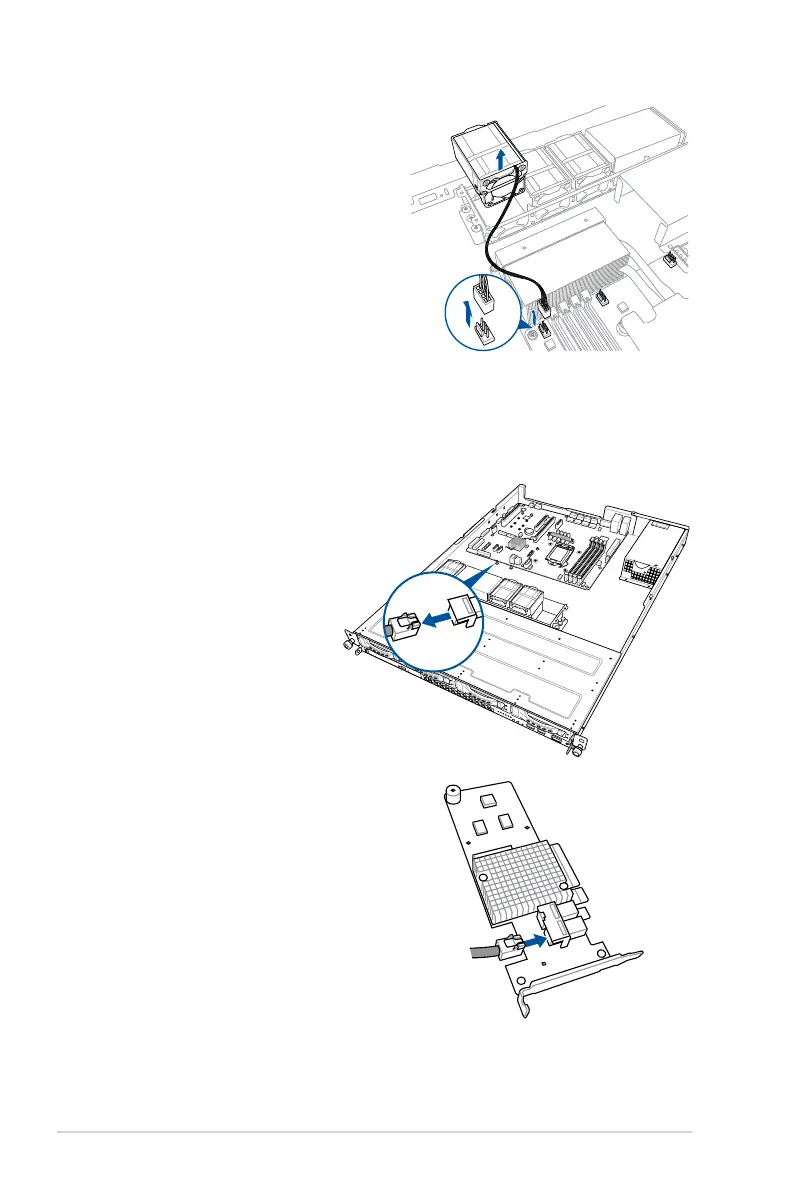
3. Disconnect the system fan cable from
the fan connector on the motherboard.
4. Lift the fan, then set aside.
5. Repeat steps 3 to 4 to uninstall the
other system fans.
2.8.2 Installing ASUS PIKE II RAID card (optional)
Follow the steps below to install an optional ASUS RAID card on your motherboard.
1. Remove the default mini-SAS HD cable
from the motherboard.
2. Connect the mini-SAS HD cable to
the ASUS PIKE II card.













 To Next Page