2-29
ASUS RS300-E10 Series
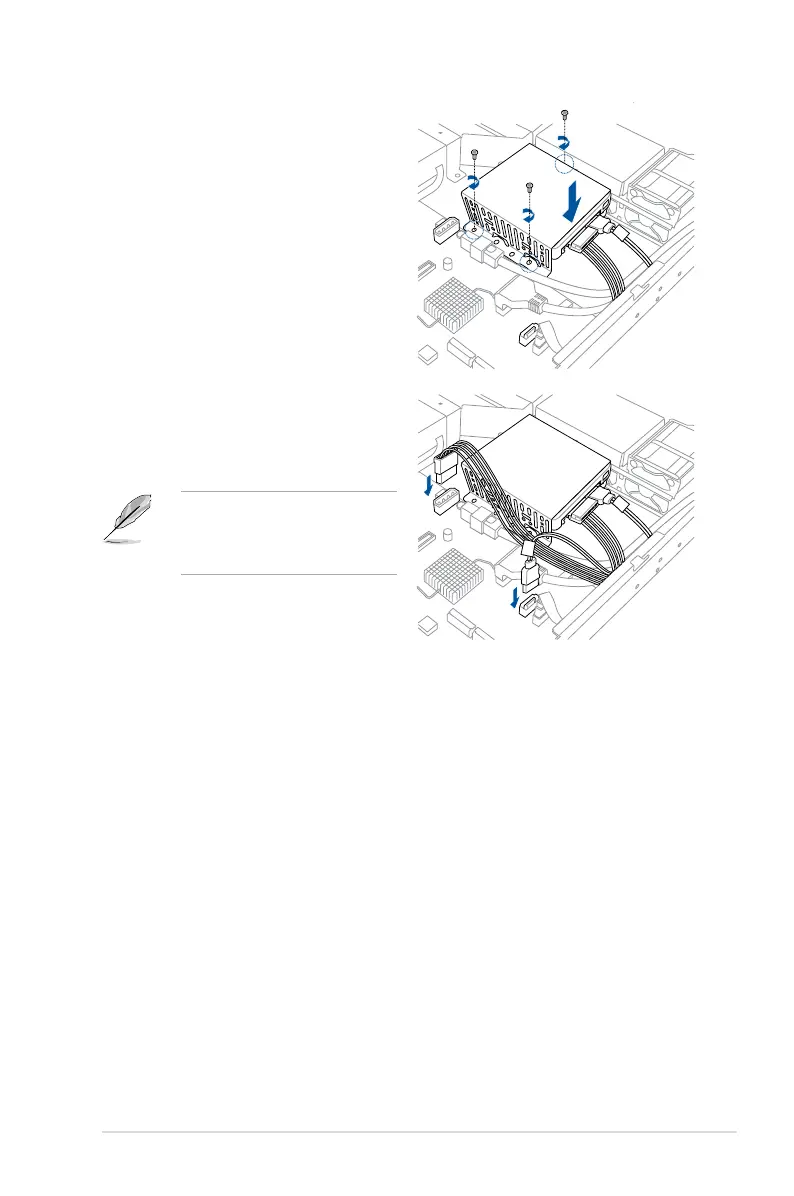
6. Secure the SSD cage to the server
module using the bundled screws.
7. Connect the SATA cable connector to
the onboard SATA connector.
8. Connect the Power cable to the
connector on the motherboard.
You can install a second SSD Card
by removing the optical drive and
connecting the SATA cable connector
to its onboard SATA connector.













 To Next Page