ASUS RS500A-E6/PS4 6-11
6.2.2 Deleting a RAID set
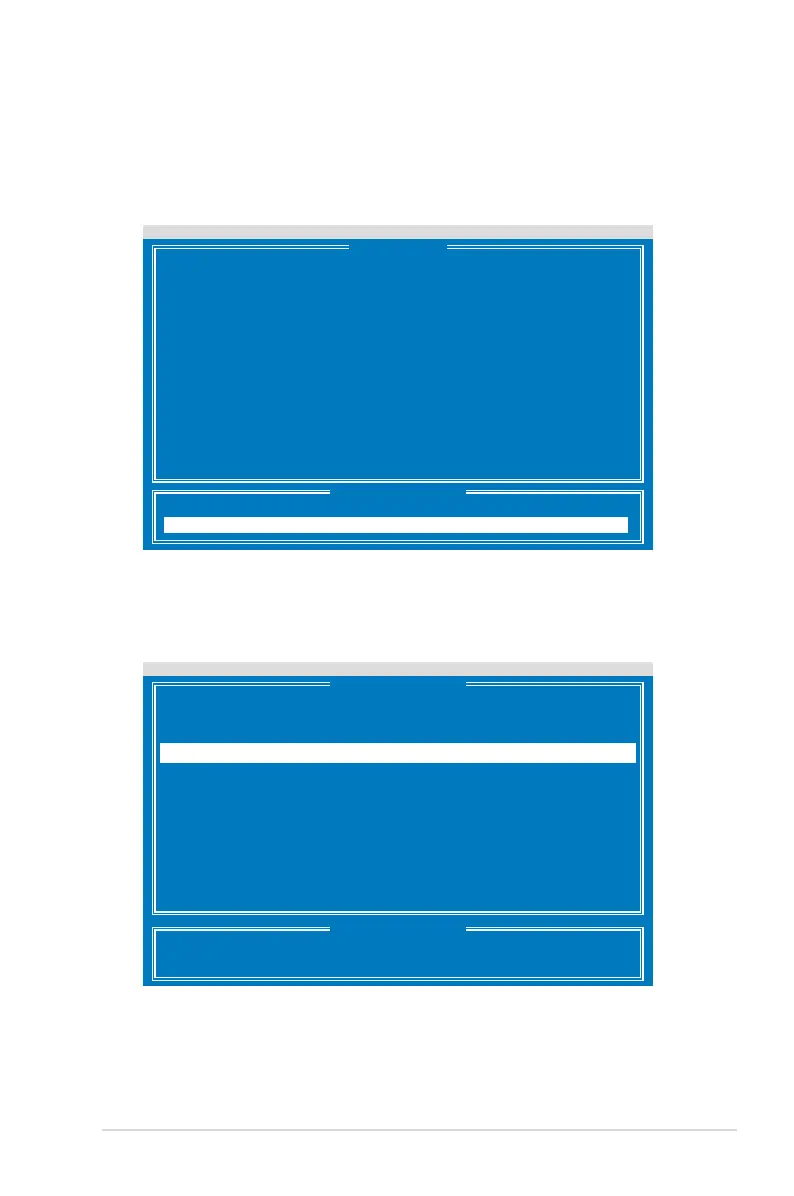
To delete a RAID set:
1. From the main control panel, press <3> to to enter the
Delete LD Menu
.
Press 1..4 to Select Option [ESC]Exit
FastBuild (tm) Utility (c) 2004-2010 Promise Technology, Inc.
View Drive Assignment .......[ 1 ]
LD View / LD Dene Menu .....[ 2 ]
Delete LD Menu ..............[ 3 ]
Controller Conguration .....[ 4 ]
[ Main Menu ]
[ Keys Available ]
FastBuild (tm) Utility (c) 2004-2010 Promise Technology, Inc.
[ Delete LD Menu ]
[ Keys Available ]
[
↑
] Up [
↓
] Down [PaUp/PaDn] Switch Page [Del/Alt+D] Delete LD
[Ctrl+V] View JBOD Disk [ESC] Exit
LD No RAID Mode Drv Capacity(GB) Status
LD 1 RAID 1 2 199.99 Functional
2. Select the RAID set you would like to delete and press <Del>/<Alt>+<D> to
delete the selected RAID set.













 To Next Page