3-5ASUS RS500A-E6/PS4
3.2.1 Attaching the rails to the server
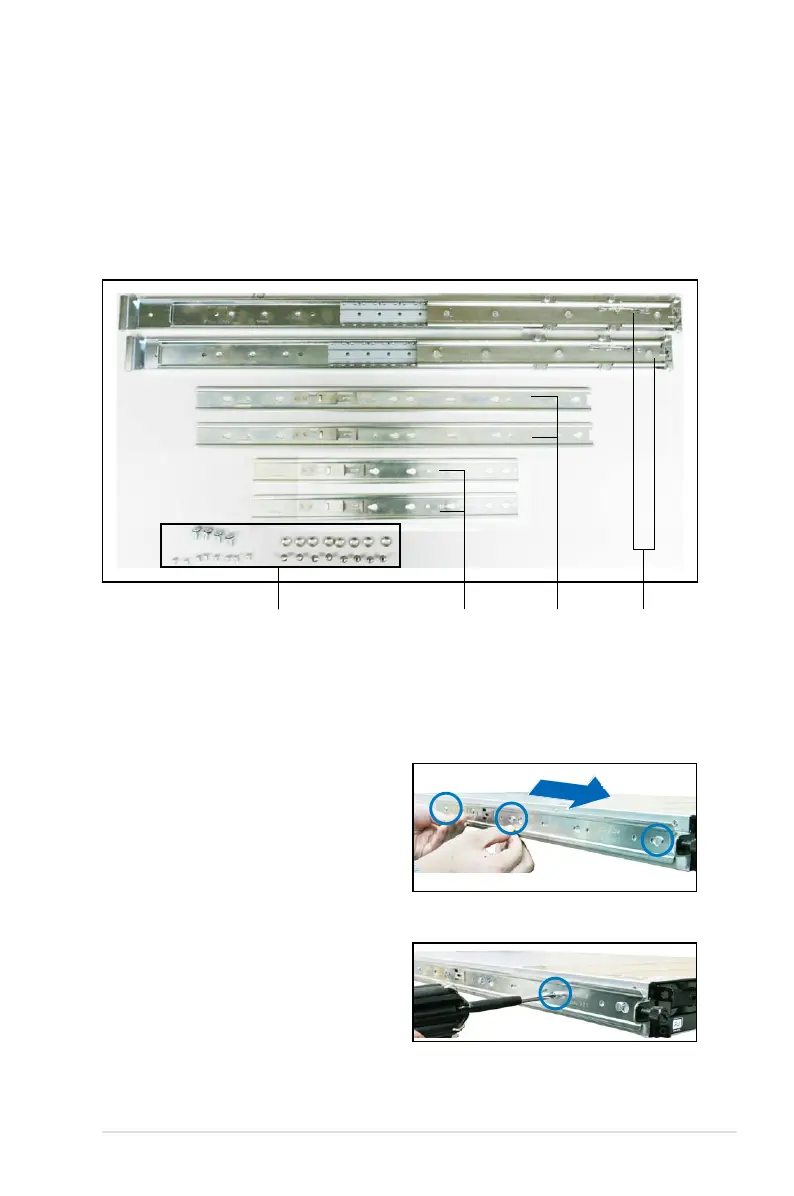
To attach the server rails:
1. Attach the front end of the server
rail to the side of the chassis,
matching each of the three hooks
to the holes on the rail. Then slide
the rail toward the front panel until it
locks in place.
Rack railsFront endRear endNuts and screws
2. Secure the front end of the server
rail to the side of the chassis with
one screw.
3.2 Installing optional ball-bearing rail kit
items
Your optional ball-bearing rail kit package contains:
• two pair of server rails (for the server)
• two pairs of rack rails (for the rack)
• Nut-and-bolt type screws













 To Next Page