Chapter 2: Hardware setup2-22
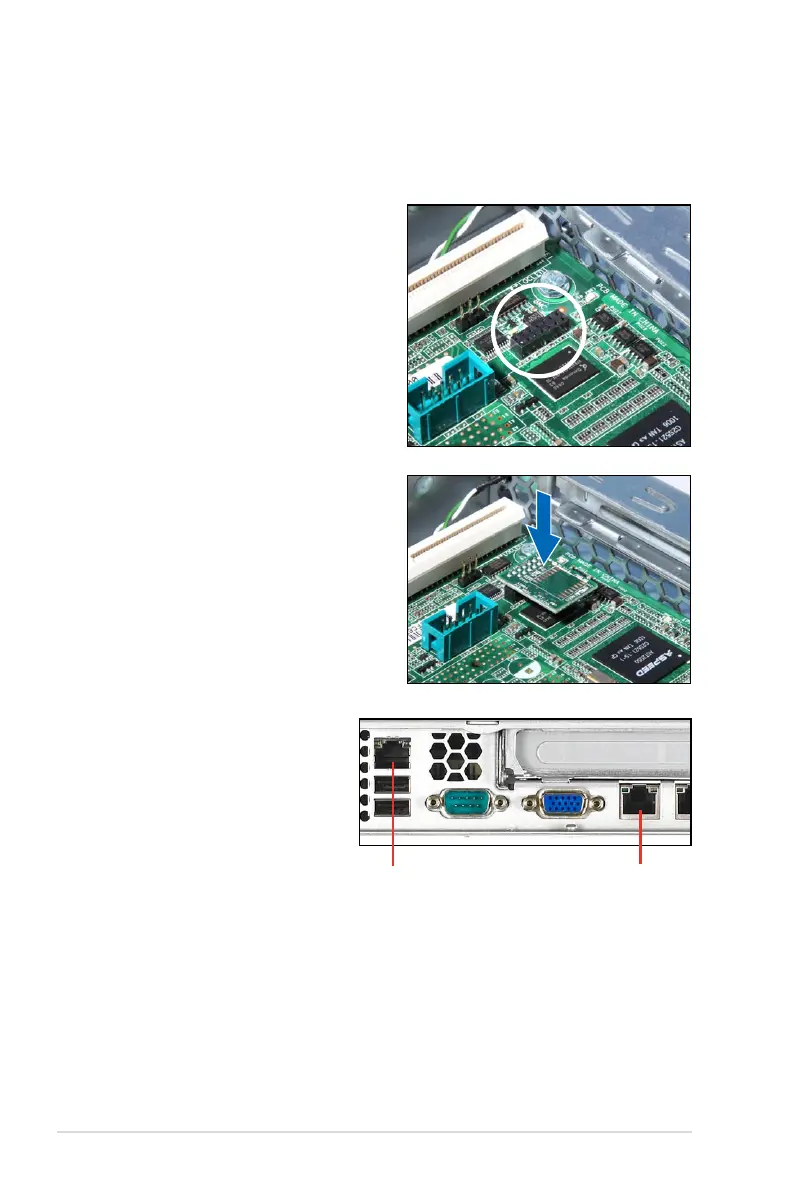
2.8.3 Installing ASMB4 series management board (optional)
Follow the steps below to install an optional ASMB4 series management board on
your motherboard.
3. Insert the LAN cable plug to
the LAN port 3 (dedicated
LAN) or LAN port 1 (shared
LAN) for server management.
LAN port 3
LAN port 1
1. Locate the BMC_FW header on the
motherboard.
2. Orient and press the ASMB4
management card in place.













 To Next Page