2-19ASUS RS500A-E6/PS4
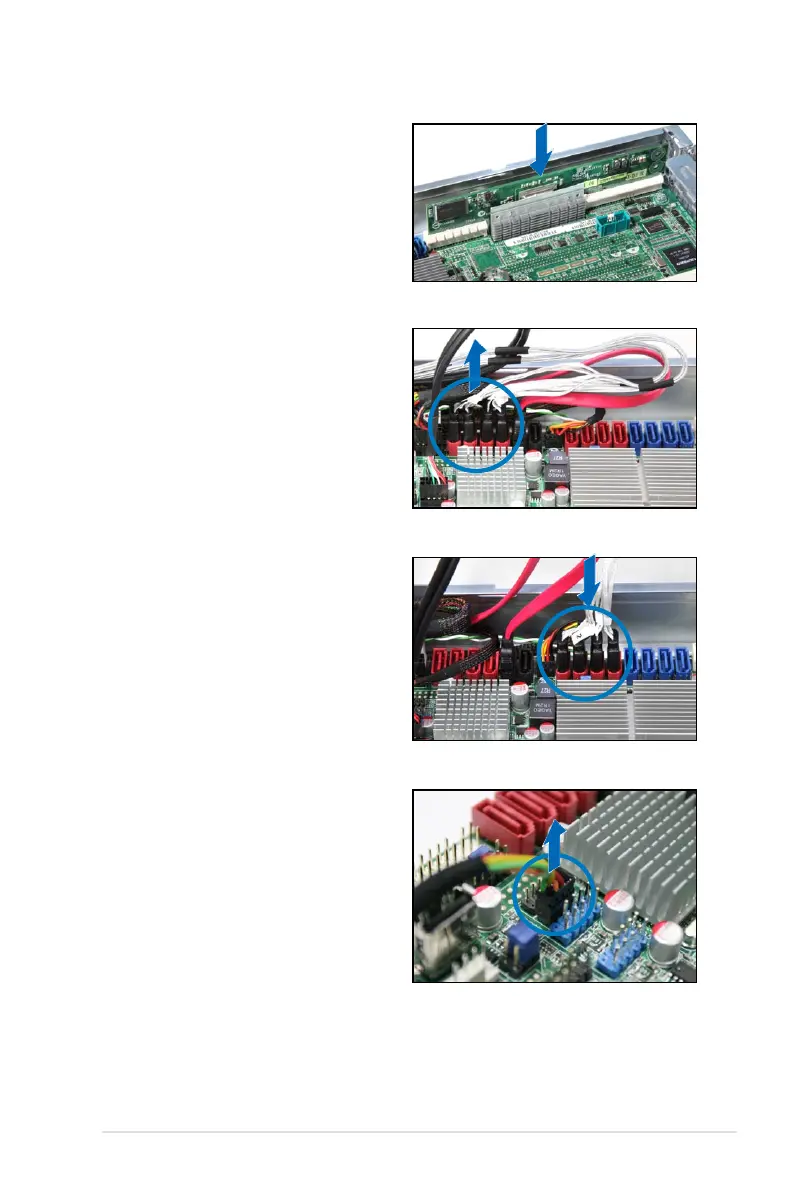
7. Connect the data cables, by
numerial order, to the SAS
connectors labeled SAS1-4 (red)
on the motherboard.
6. Remove the data cables connected
to the SATA connectors on the
motherboard.
5. Insert the RAID card into the PIKE
RAID card slot. Ensure that it is
completely seated on the PIKE
RAID card slot.
8. Remove the SGPIO cable from
the SGPIO3 connector on the
motherboard.













 To Next Page