ASUS RS500A-E6/PS4 4-9
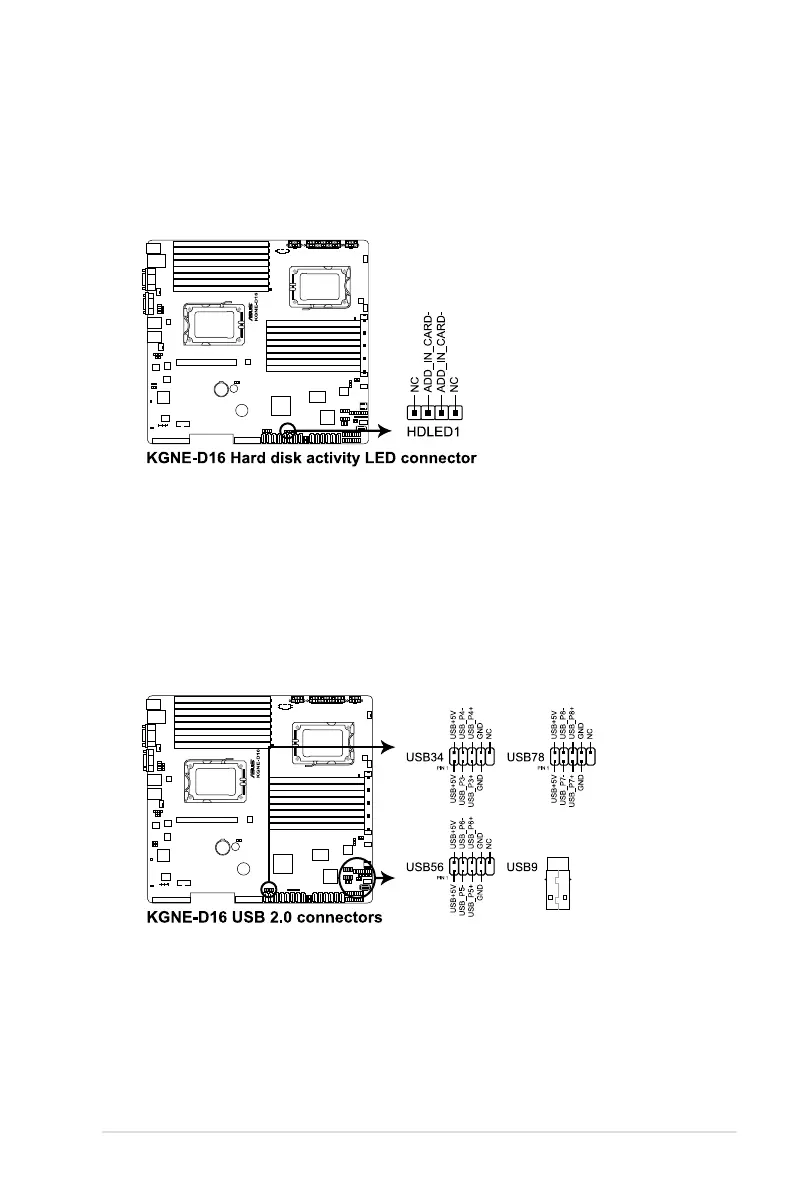
3. Hard disk activity LED connector (4-pin HDLED1)
This LED connector is for the storage add-on card cable connected to the
SATA or SAS add-on card. The read or write activities of any device connected
to the SATA or SAS add-on card causes the front panel LED to light up.
4. USB connector (10-1 pin USB34, USB56; USB78; A-Type USB9)
These connectors are for USB 2.0 ports. Connect the USB module cables to
connectors USB34 and USB56, then install the modules to a slot opening at
the back of the system chassis. These USB connectors comply with USB 2.0
specication that supports up to 480 Mbps connection speed.













 To Next Page