ASUS RS500A-E6/PS4 5-19
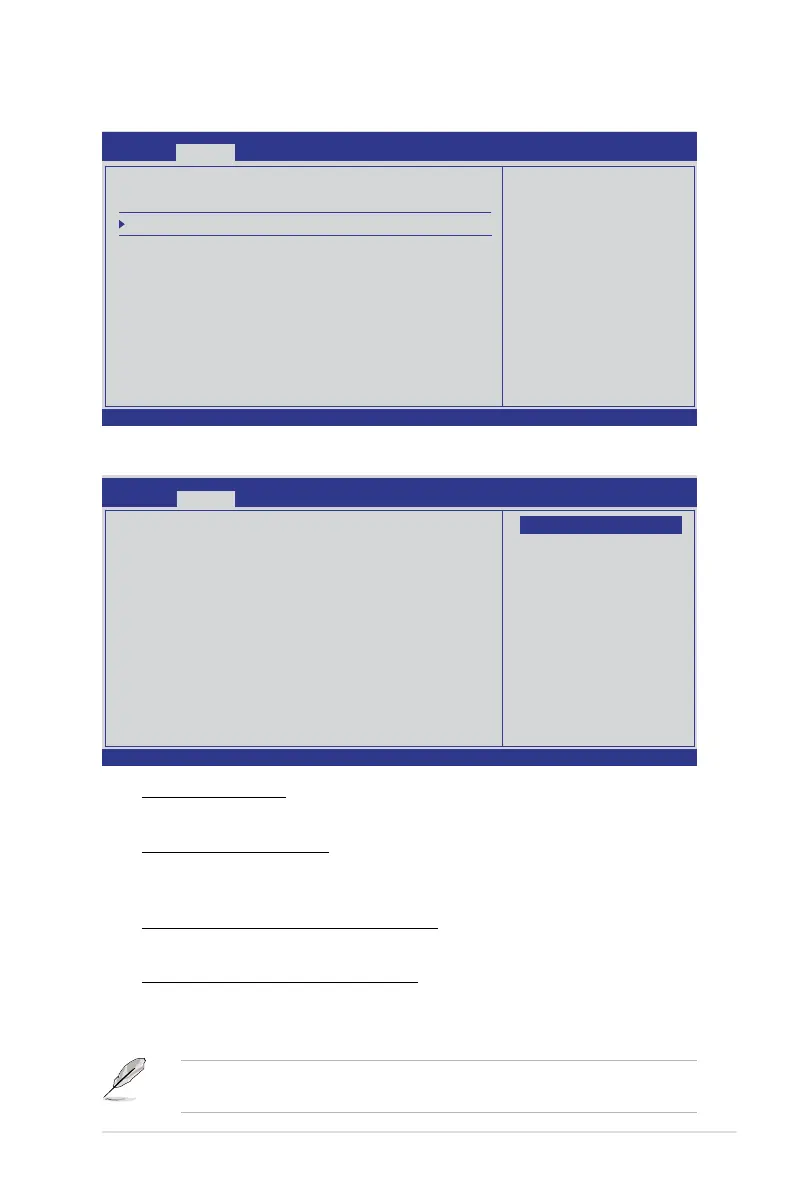
SouthBridgeConguration
v02.61 (C)Copyright 1985-2010, American Megatrends, Inc.
BIOS SETUP UTILITY
Advanced
←→ Select Screen
↑↓ Select Item
Enter Go to Sub Screen
F1 General Help
F10 Save and Exit
ESC Exit
Options for SB
Debug Features
SouthBridge Chipset Conguration
SP5100 CIMx Version : 5.5.0
SB Debug Conguration
OHCI HC (Bus 0 Dev 18 Fn 0) [Enabled]
OHCI HC (Bus 0 Dev 18 Fn 1) [Enabled]
EHCI HC (Bus 0 Dev 18 Fn 2) [Enabled]
OHCI HC (Bus 0 Dev 19 Fn 0) [Enabled]
OHCI HC (Bus 0 Dev 19 Fn 1) [Enabled]
EHCI HC (Bus 0 Dev 19 Fn 2) [Enabled]
OHCI HC (Bus 0 Dev 20 Fn 5) [Enabled]
SBDebugConguration
A15 ECOs [Disable]
Conguration options: [Disable] [Enabled]
Port 0/1/2/3/4/5 ESP [ISP]
Selects the type or the Port ESP help.
Conguration options: [ISP] [ESP]
Dis #THRMTRIP Before KBRst [Enabled]
Conguration options: [Enabled] [Disabled]
SATA-IDE Ports Auto Clk Ctrl [Disable]
When set to [Enabled], the system will turn off the clocks for the unused SATA
ports in IDE modes. Doing so will enable some power savings.
Conguration options: [Disable] [Enabled]
The hot-plug function will be disabled when turning off the clock for the SATA
port.
v02.61 (C)Copyright 1985-2010, American Megatrends, Inc.
SouthBridge Debug Conguration
Advanced
A15 ECOs [Disable]
Port 0 ESP [ISP]
Port 1 ESP [ISP]
Port 2 ESP [ISP]
Port 3 ESP [ISP]
Port 4 ESP [ISP]
Port 5 ESP [ISP]
Dis #THRMTRIP Before KBRst [Enabled]
SATA-IDE Ports Auto Clk Ctrl [Disable]
SATA-AHCI Ports Auto Clk Ctrl [Disable]
SATA PORT0 MODE [Auto]
SATA PORT1 MODE [Auto]
SATA PORT2 MODE [Auto]
SATA PORT3 MODE [Auto]
SATA PORT4 MODE [Auto]
SATA PORT5 MODE [Auto]
←→ Select Screen
↑↓ Select Item
+- Change Option
F1 General Help
F10 Save and Exit
ESC Exit
Options
Disable
Enabled













 To Next Page