2-17ASUS RS700-E7/RS4
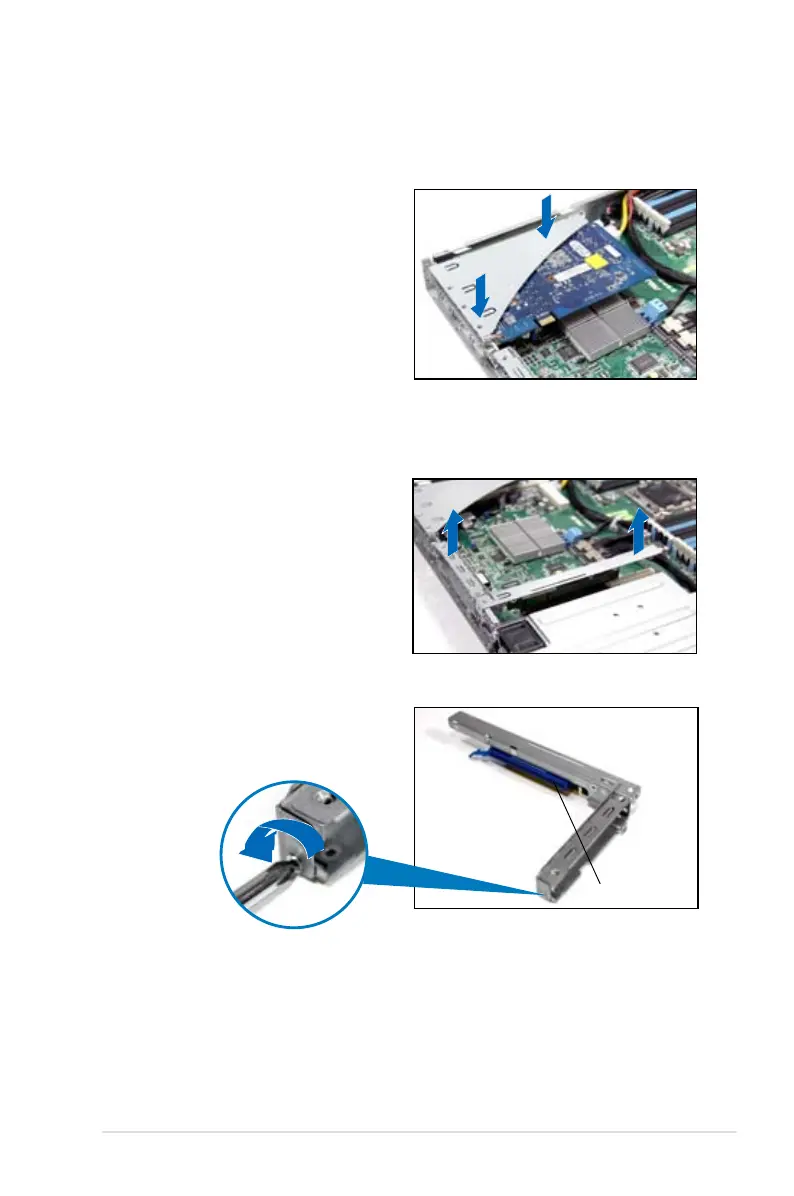
To reinstall the riser card bracket in PCIE1 slot:
1. Align the riser card bracket with the
cards to the PCI Express x16 slot
on the motherboard.
2. Press the riser card bracket until
the golden connectors completely
t the slot and the bracket aligns
with the rear panel.
3. Connect the cable(s) to the card, if
applicable.
To install a PCI Express x8 or x16 card in PCIE2 slot:
2. Place the riser card bracket on a
at and stable surface, then remove
the screw from the slot bay.
1. Firmly hold the riser card bracket,
then pull it up to detach it from
the PCI Express x16 slot on the
motherboard.
PCI Express x16 slot













 To Next Page