20
3 Conguring the General and 3 Conguring the General and
Advanced SettingsAdvanced Settings
3.1 Administration
3.1.1 Operation Mode
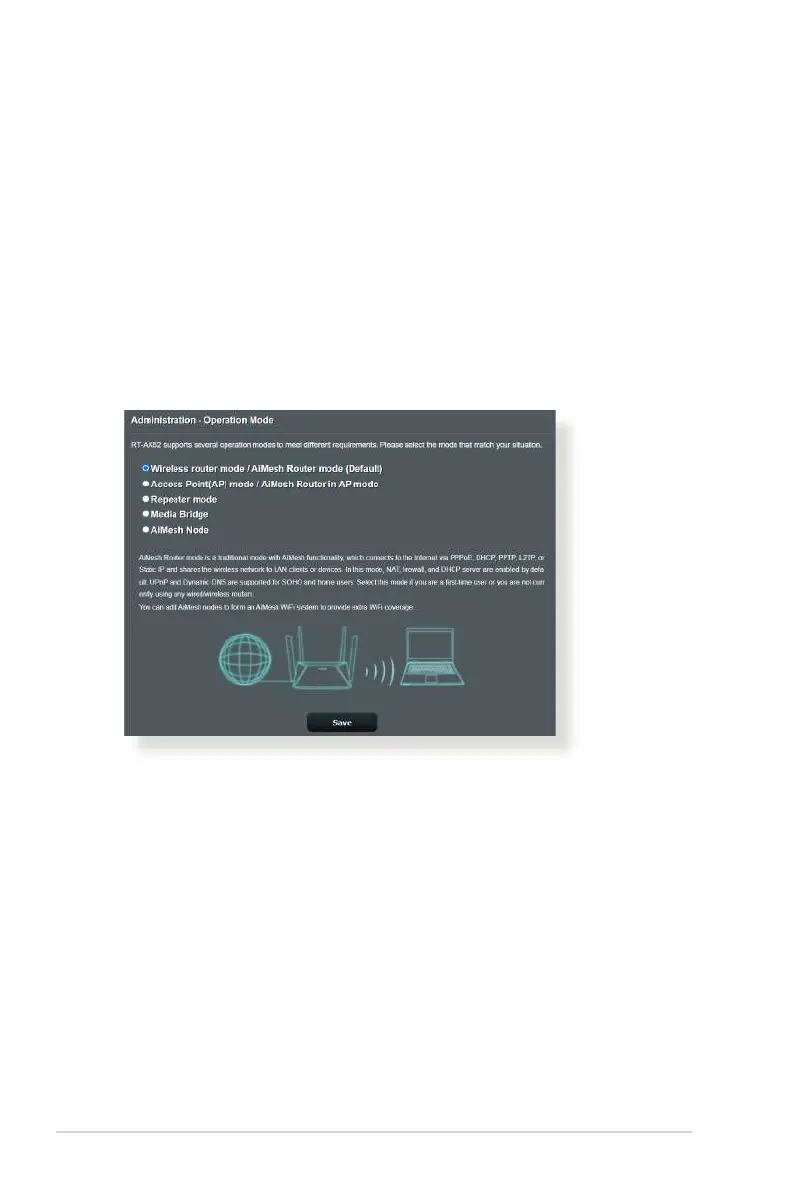
The Operation Mode page allows you to select the appropriate
mode for your network.
To set up the operating mode:
1. From the navigation panel, go to Advanced Settings >
Administration > Operation Mode.
2. Select any of these operation modes:
• Wireless router mode (default): In wireless router mode,
the wireless router connects to the Internet and provides
Internet access to available devices on its own local network.
• Repeater mode: This mode turns the router into a wireless
repeater to extend the range of your signal.
• Access Point mode: In this mode, the router creates a new
wireless network on an existing network.


 To Next Page