36
3.6.1 Setting up the wireless security settings
To protect your wireless network from unauthorized access, you
need to congure its security settings.
To set up the wireless security settings:
1. From the navigation panel, go to General > Network Map.
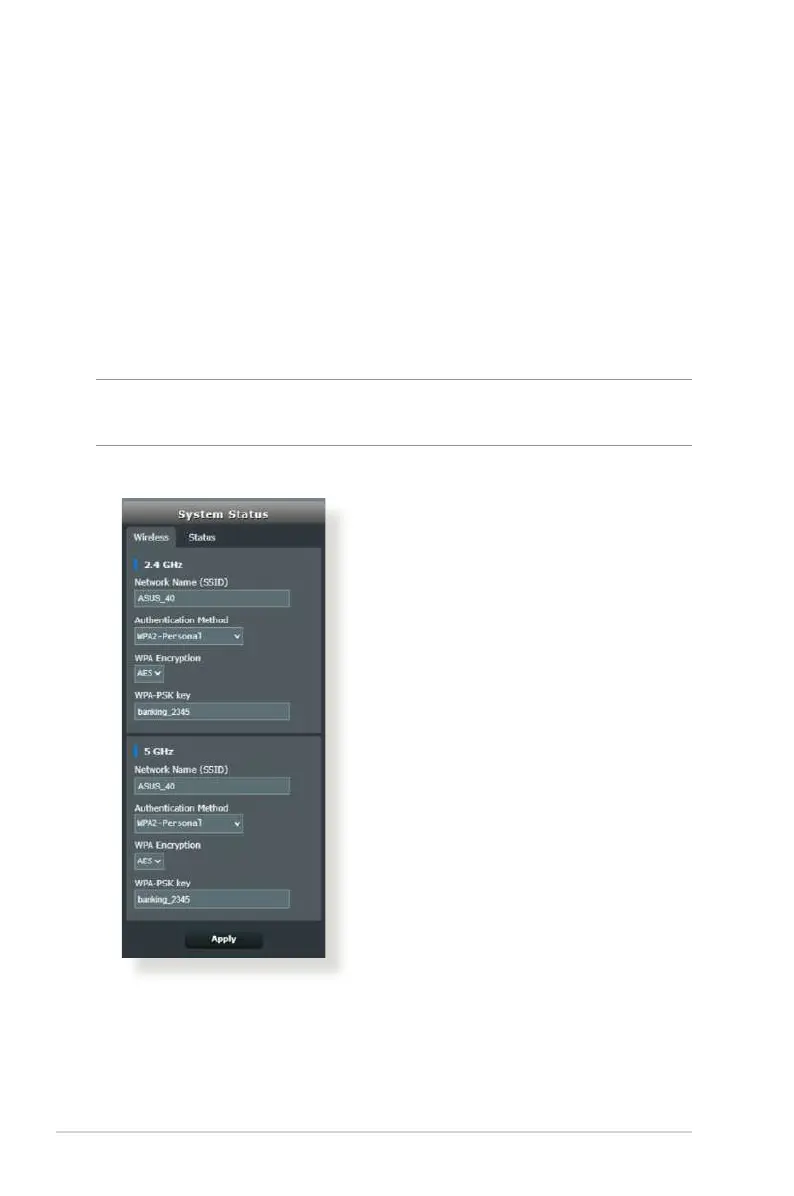
2. On the Network Map screen and under System Status, you can
congure the wireless security settings such as SSID, security
level, and encryption settings.
NOTE: You can set up dierent wireless security settings for 2.4GHz
and 5GHz bands.
2.4GHz / 5GHz security settings
3. On the Network Name (SSID) eld, key in a unique name for
your wireless network.



 To Next Page