78
Internet is not accessible.
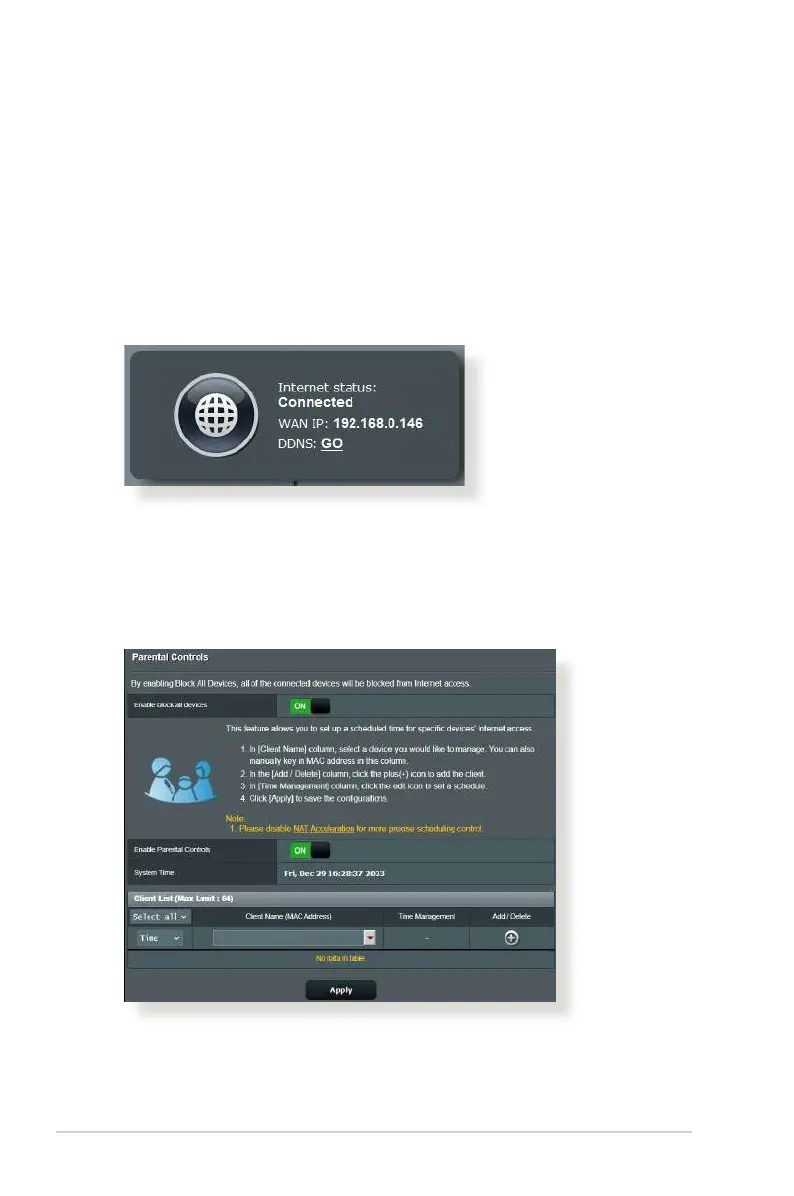
• Check if your router can connect to your ISP’s WAN IP address.
To do this, launch the web GUI and go to General> Network
Map, and check the Internet status.
• If your router cannot connect to your ISP’s WAN IP address,
try restarting your network as described in the section
Restart your network in following sequence under Basic
Troubleshooting.
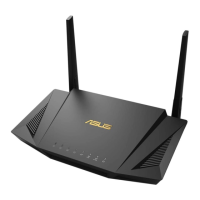
• The device has been blocked via the Parental Control function.
Go to General > Parental Controls and see if the device is
in the list. If the device is listed under Client Name, remove
the device using the Delete button or adjust the Time
Management Settings.
• If there is still no Internet access, try to reboot your computer
and verify the network’s IP address and gateway address.


 To Next Page