80
Cannot access Web GUI
Before conguring your wireless router, do the steps described in
this section for your host computer and network clients.
A. Disable the proxy server, if enabled.
Windows®
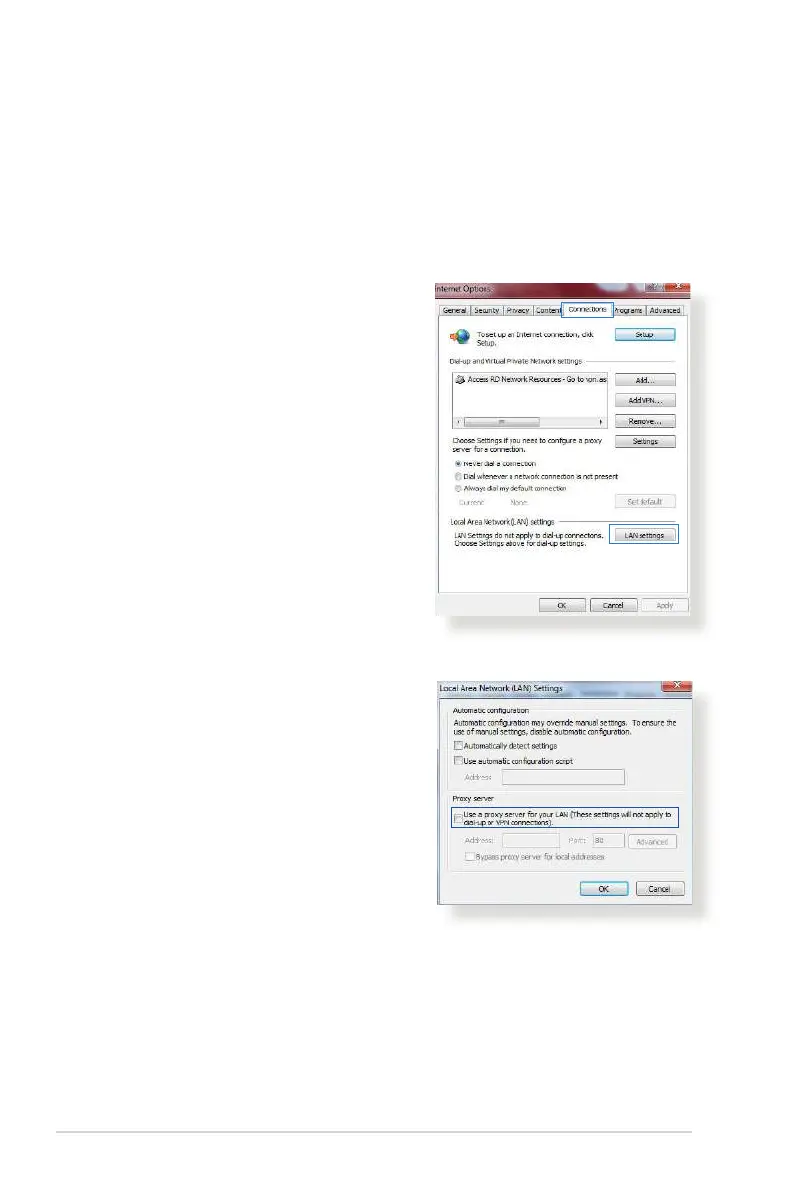
1. Click Start > Internet Explorer
to launch the browser.
2. Click Tools > Internet options >
Connections > LAN settings.
3. From the Local Area Network
(LAN) Settings screen, untick
Use a proxy server for your
LAN.
4. Click OK when done.


 To Next Page