22
Windows
®
7
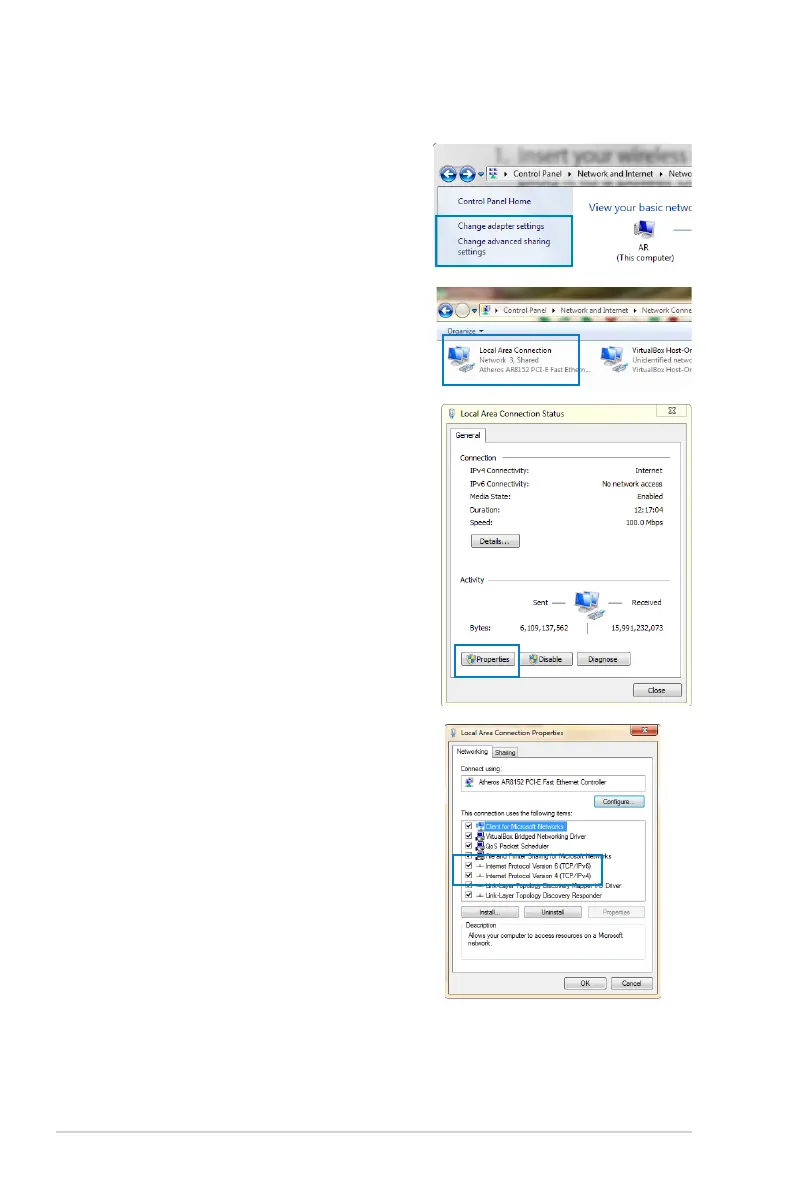
1. Click Start > Control Panel
> Network and Internet
> Network and Sharing
Center > Change adapter
settings.
2. On the Network Connections
window, click on Local Area
Connection.
3. On the Local Area Connection
Network Status window, click
Properties.
4. Select Internet Protocol
Version 4 (TCP/IPv4) or
Internet Protocol Version
6 (TCP/IPv6), then click
Properties.



 To Next Page