32
RT-N12 C1 Chapter 4: Conguring via the web GUI
Upgrading the rmware
Note: Download the latest rmware from the ASUS website at http://www.asus.com.
To upgrade the rmware:
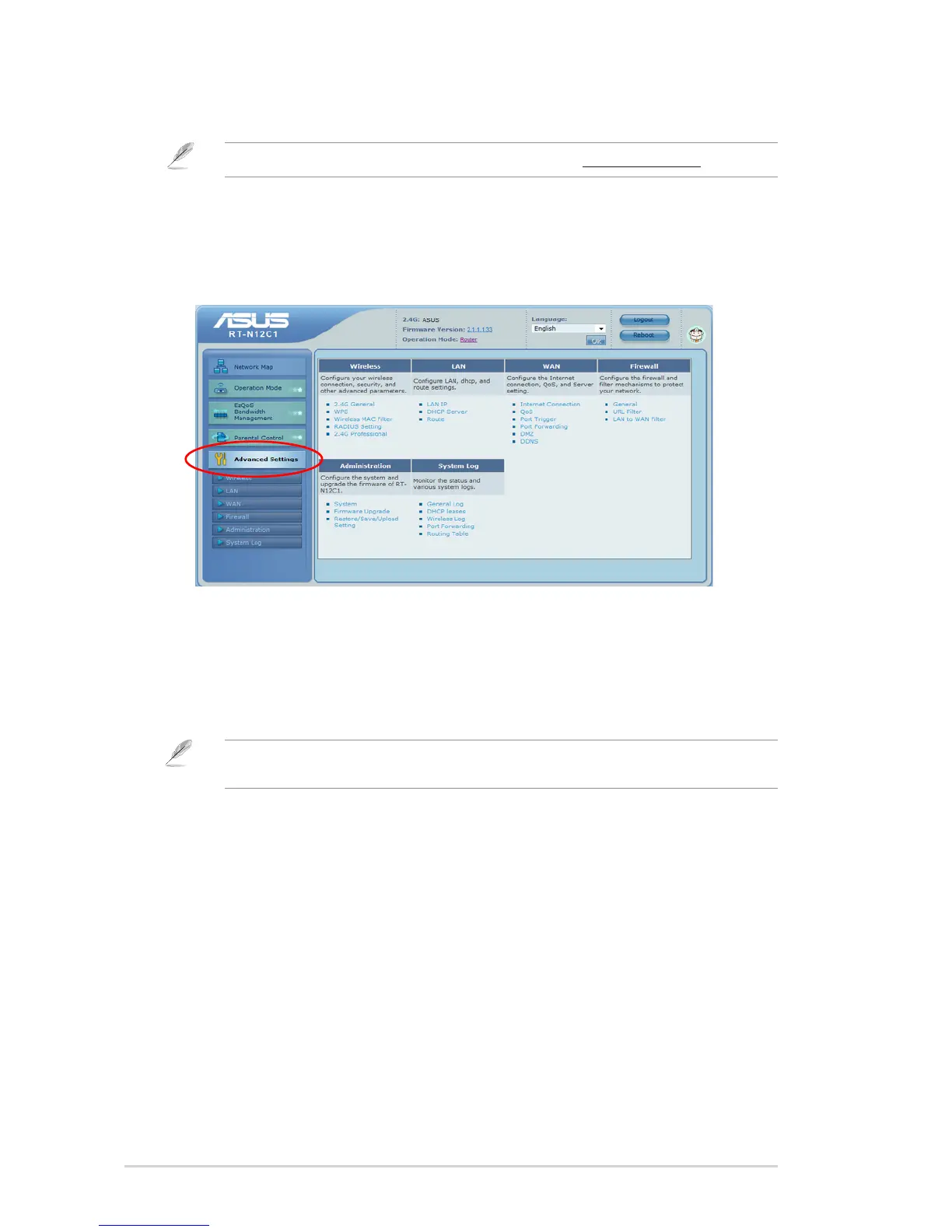
1. Click Advanced Setting from the navigation menu at the left side of your
screen.
2. Under the Administration menu, click Firmware Upgrade.
3. In the New Firmware File eld, click Browse to locate the new rmware on your
computer.
4. Click Upload. The uploading process takes about three minutes.
Note: If the upgrade process fails, use the Firmware Restoration utility to restore the system. For
details on this utility, refer to the section Firmware Restoration in Chapter 5 of this user manual.


 To Next Page