35
Chapter 5: Installing the utilities RT-N12 C1
5
Installing the
utilities
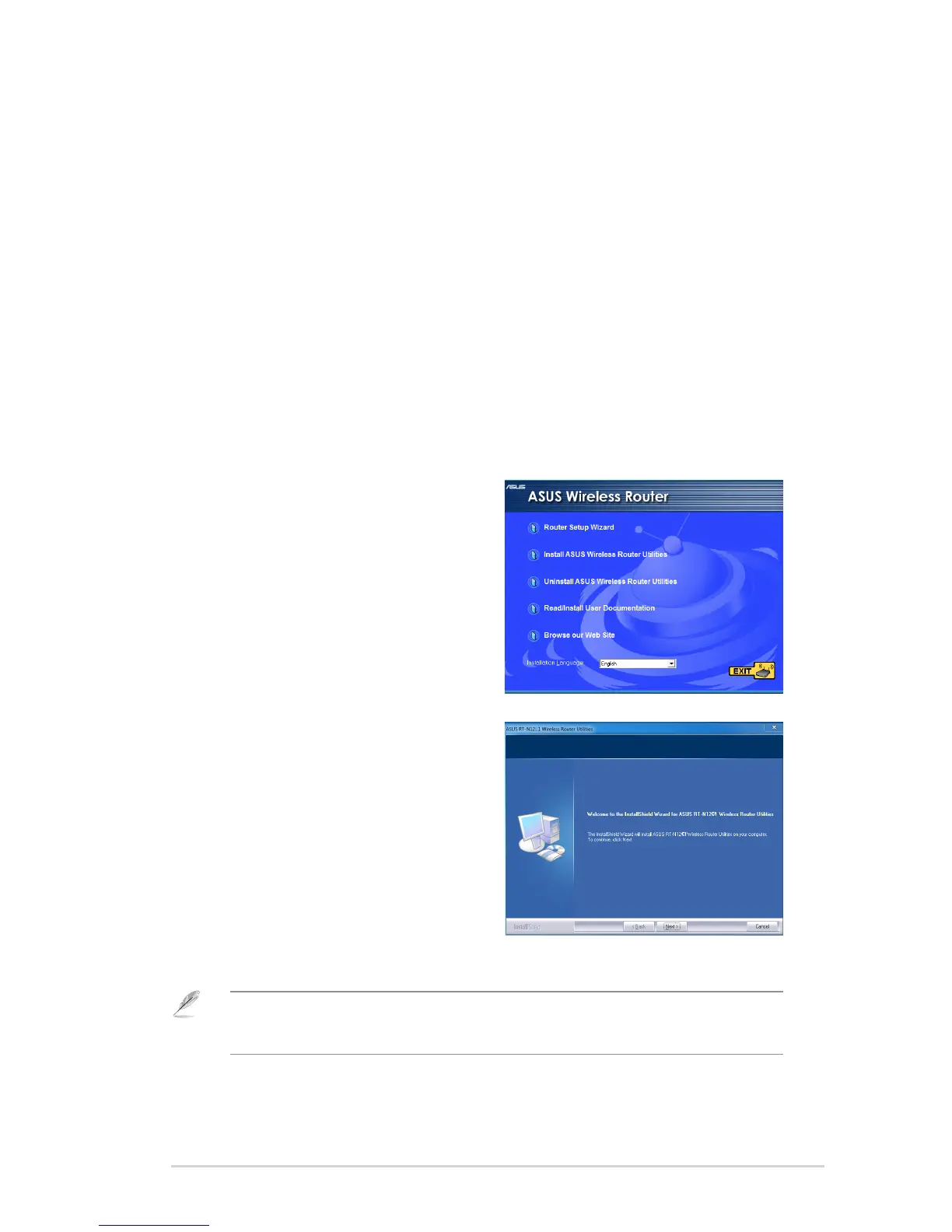
2. Click Next.
Installing the utilities
The support CD contains the utilities for conguring the ASUS Wireless Router.
To install the ASUS WLAN Utilities in Microsoft
®
Windows, insert the support CD
in the CD drive. If Autorun is disabled, run setup.exe from the root directory of the
support CD.
To install the utilities:
1. Click Install...Utilities.
Note: When you install the utilities, the setup wizard automatically detects your computer’s
operating system. If you are using Windows
®
7 / Vista OS, click Install on the conrmation
message.


 To Next Page