23
RT-N14UChapter 3: Network Configuration using the web GUI
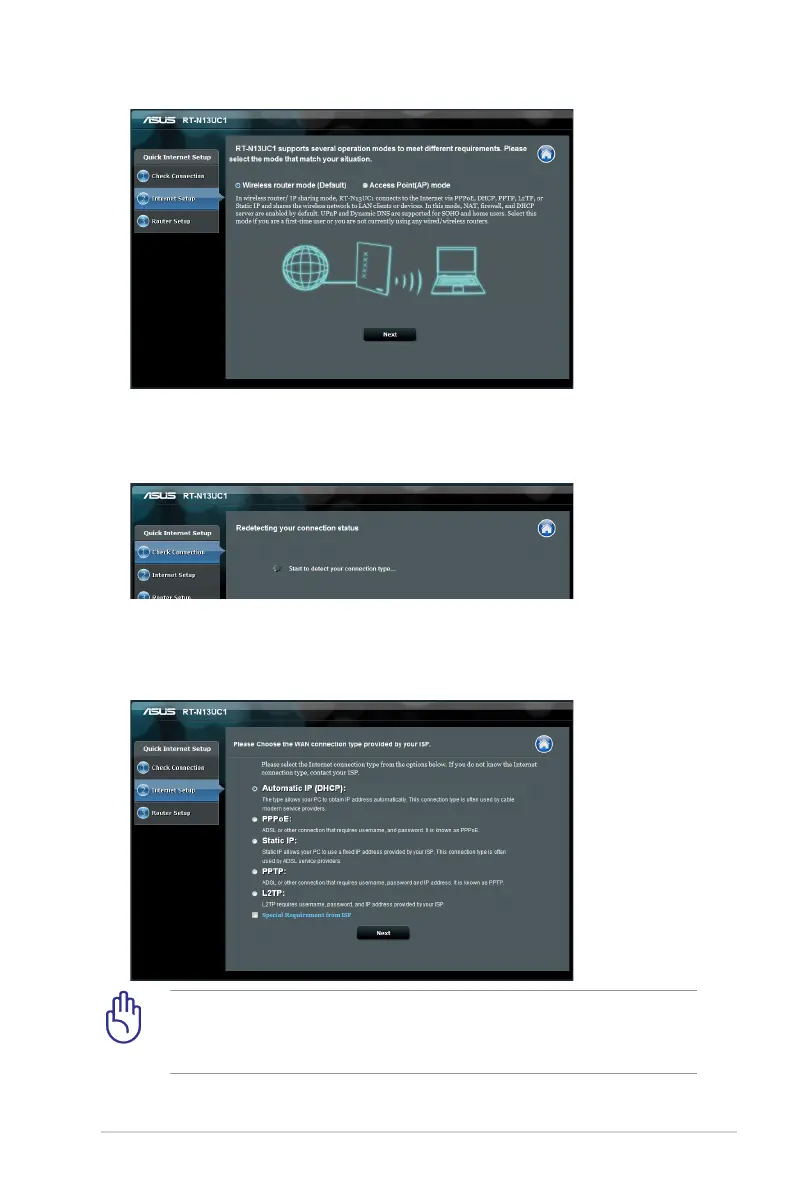
5. The wireless router will attempt to identify your connection
type.
Obtain the necessary information about your Internet
connection type and additional login information from your
Internet Service Provider.
6. Select the necessary connection type and key in any necessary
information required such as your ISP username and password.


 To Next Page