37
RT-N14UChapter 3: Network Configuration using the web GUI
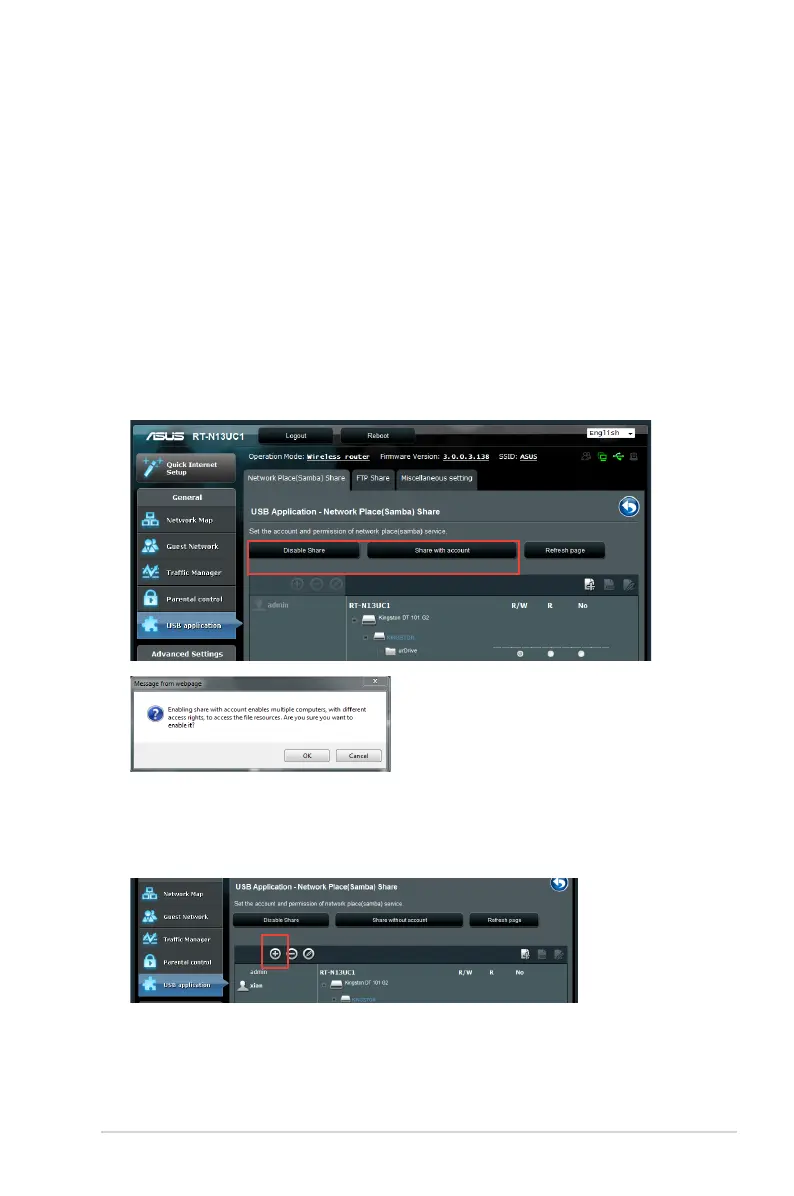
Using the Network Place (Samba) Share service
The Network Place (Samba) Share feature allows Mac OSX,
Windows, and Linux clients to access files on the USB storage
device.
To use Samba share:
1. Click USB application on the left navigation panel and click
the Servers Center icon.
2. Click the
Network place (Samba) Share tab.
3. Click the
Enable Share and Share with account.
4. Click the
Add button to create user accounts for users who will
be accessing the USB storage device via Samba.



 To Next Page