35
RT-N14UChapter 3: Network Configuration using the web GUI
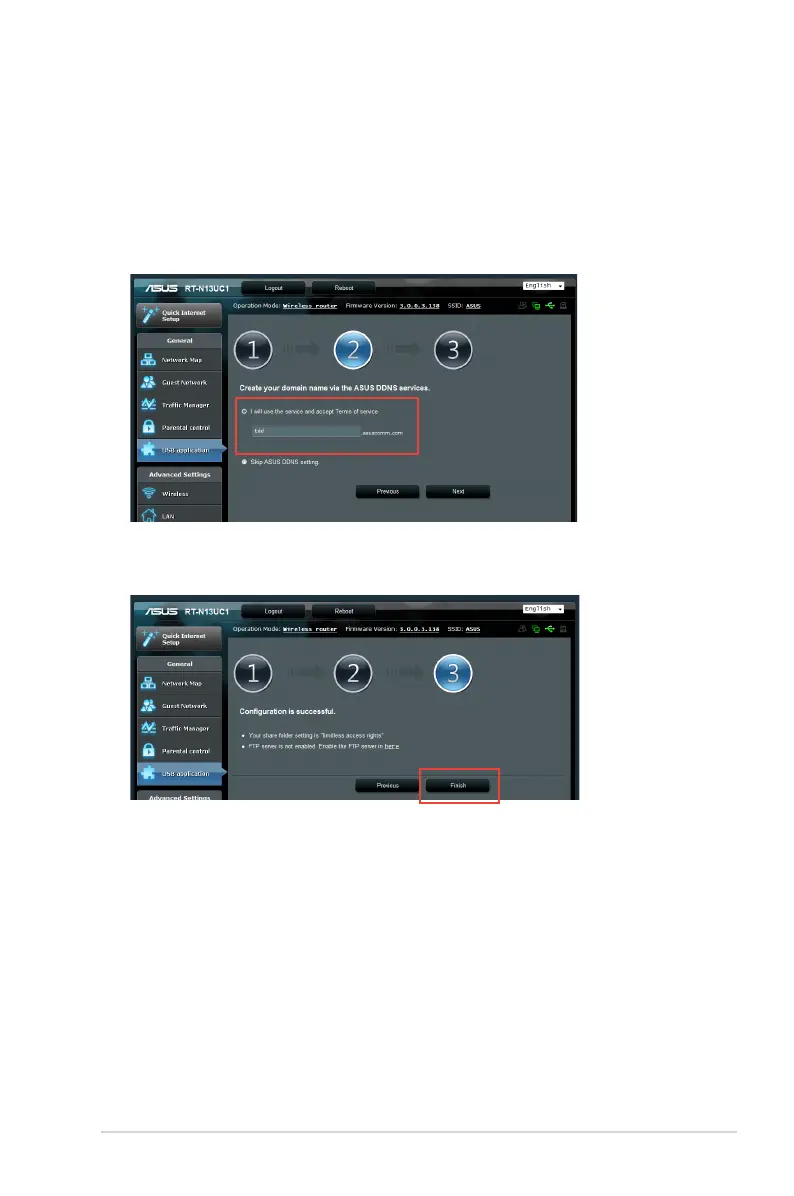
6. Click Finish.
7. To access the USB storage device via FTP from a client on the
network, launch a web browser or a third-party FTP client utility
and key in the ftp link (ftp://<domain name>) you previously
created.
4. To set up your domain name via the ASUS DDNS service, select
I will use the service and accept Terms of service and key in
your preferred domain name. Your domain name will follow the
format xxx.asuscomm.com, where xxx is your host name.
5. Click
Next.


 To Next Page