ASUS SP97 / SP97-V User’s Manual52
IV. BIOS SOFTWARE
Load BIOS Defaults
This “Load BIOS Defaults” option allows you to load the troubleshooting default
values permanently stored in the BIOS ROM. These default settings are non-opti-
mal and disable all high performance features. To load these default settings, high-
light “Load BIOS Defaults” on the main screen and then press <Enter>. The system
displays a confirmation message on the screen. Press <Y> and then <Enter> to con-
firm. Press <N> and then <Enter> to abort. This feature does not affect the fields on
the Standard CMOS Setup screen.
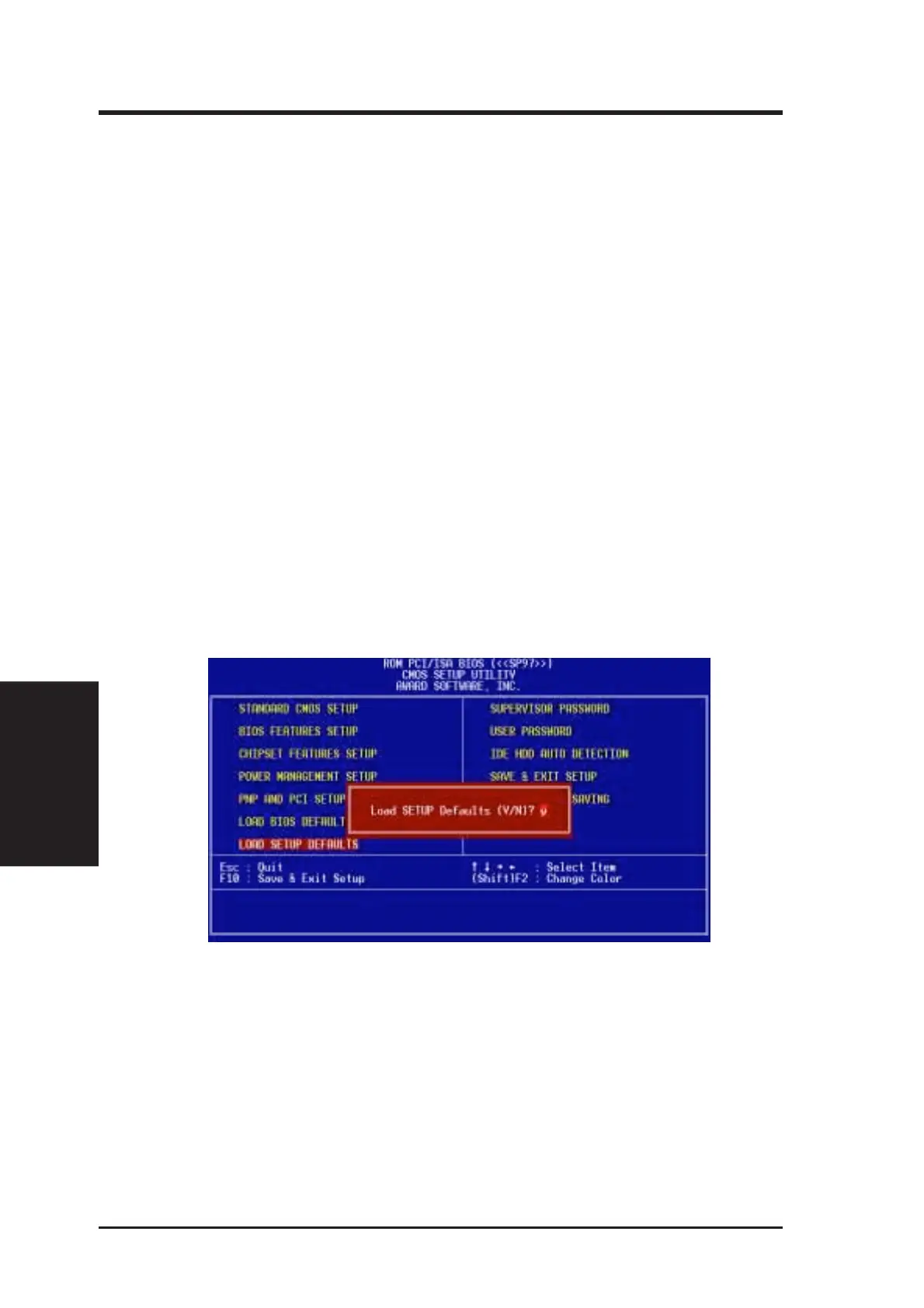
Load Setup Defaults
This “Load Setup Defaults” option allows you to load the default values to the sys-
tem configuration fields. These default values are the optimized configuration set-
tings for the system. To load these default values, highlight “Load Setup Defaults”
on the main screen and then press <Enter>. The system displays a confirmation
message on the screen. Press <Y> and then <Enter> to confirm. Press <N> and
then<Enter> to abort. This feature does not affect the fields on the Standard CMOS
Setup screen.
IV. BIOS
(Load Defaults)





 To Next Page