ASUS SP97 / SP97-V User’s Manual 55
IV. BIOS SOFTWARE
IV. BIOS
(Load Setup Defaults)
IMPORTANT: If your hard disk was already formatted on an older previous system,
incorrect parameters may be detected. You will need to enter the correct parameters
manually or use low-level format if you do not need the data stored on the hard disk.
If the parameters listed differ from the ones used when the drive was formatted, the
drive will not be readable. If the autodetected parameters do not match the ones that
should be used for your drive, do not accept them. Press <N> to reject the presented
settings and enter the correct ones manually from the “Standard CMOS Setup” screen.
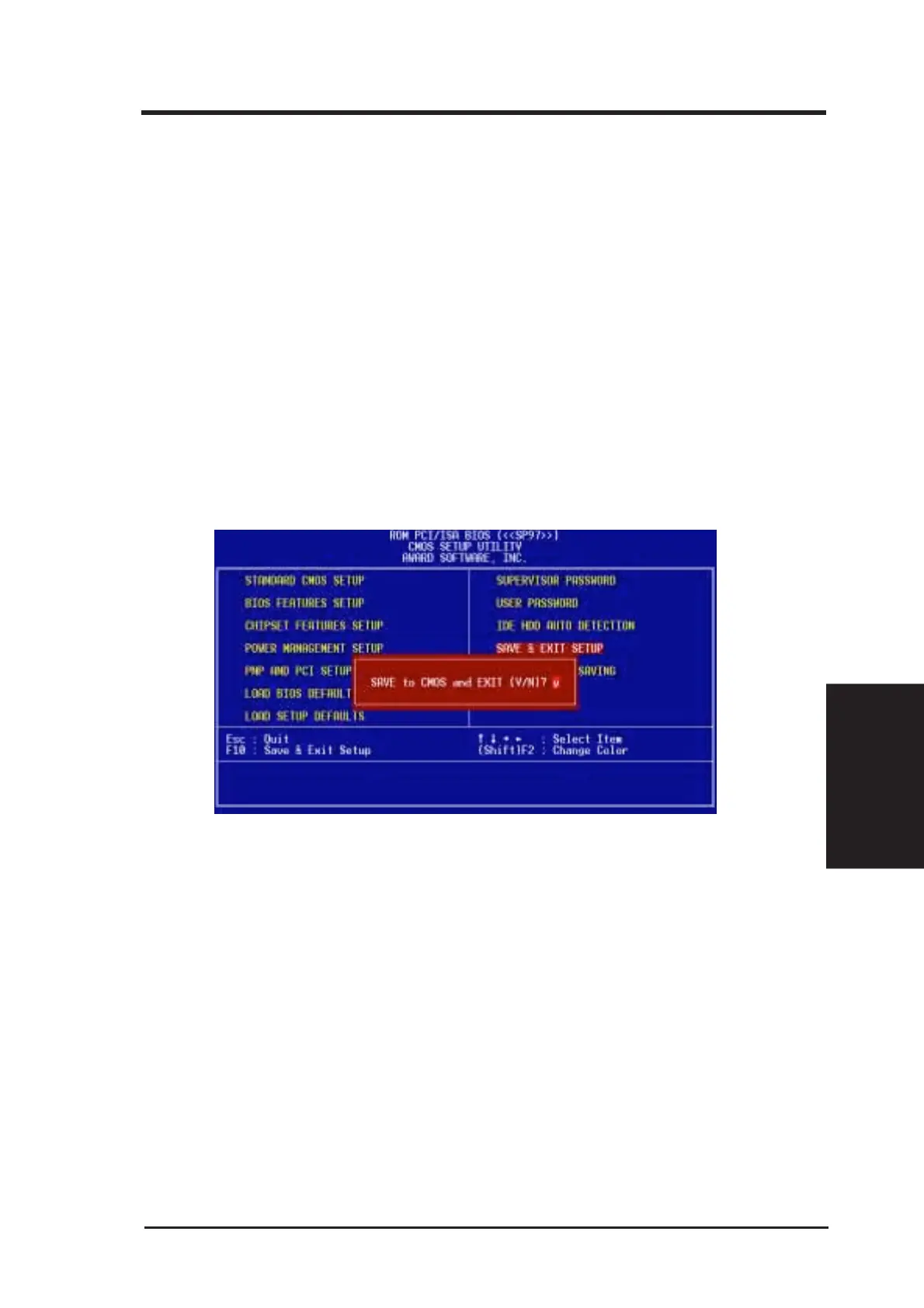
Save and Exit Setup
Select this option to save into the CMOS memory all modifications you specify
during the current session. To save the configuration changes, highlight “Save &
Exit Setup” on the main screen, type “Y”, and then press <Enter>.
Exit Without Saving
Select this option to exit the Setup utility without saving the modifications you specify
during the current session. To exit without saving, highlight “Exit Without Saving”
on the main screen, type “Y”, and then press <Enter>.
IV. BIOS
(Save & Exit)





 To Next Page