10
English
Driver Configuration
Modes
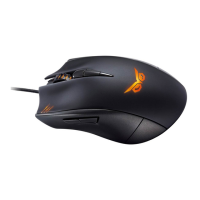
ASUS Strix Claw Optical Gaming Mouse provides Hardware Mode and Software Mode.
Software Mode allows you to create and save profiles and settings in your computer.
It also provides other useful functions such as program correlation and profile
switching.
Hardware Mode allows you to store one single customized profile in the mouse on-
board memory, which is useful when:
• Youwanttokeepyourmousesettingswhileconnectingyourmousetoa
computer that has not installed the mouse driver.
• Youaregoingtousethemouseforacompetitionthatdoesnotallow
software-based drivers and macros.
• Youareplayinggameswithanti-cheatingmechanism,whichdetectsoftware
drivers as cheating plug-ins.
NOTE: Macro sequences contain mouse commands only in the Hardware Mode.
TIP: You can save one customized profile in the mouse memory under hardware mode
and switch to software mode for normal use. When you use the mouse on a new
computer or play games with anti-cheating mechanism that prohibit the use of soft-
ware-based drivers and macros, you can switch to Hardware Mode immediately.
Mouse tab (Software Mode)
The Mouse tab (Software Mode) provides an interface for profile settings and three
sub-tabs: Customize, Performance, and Lighting.
Profile setting
A profile allows you to store settings such as button function assignments and
DPI settings. You can also assign one profile to a specific program, so the mouse
automatically loads that profile when you launch the program.
Customize
The Customize sub-tab allows you to assign different functions to the mouse buttons
and save the changes to the current profile automatically. Refer to the following
customization options and descriptions:




 To Next Page