English
11
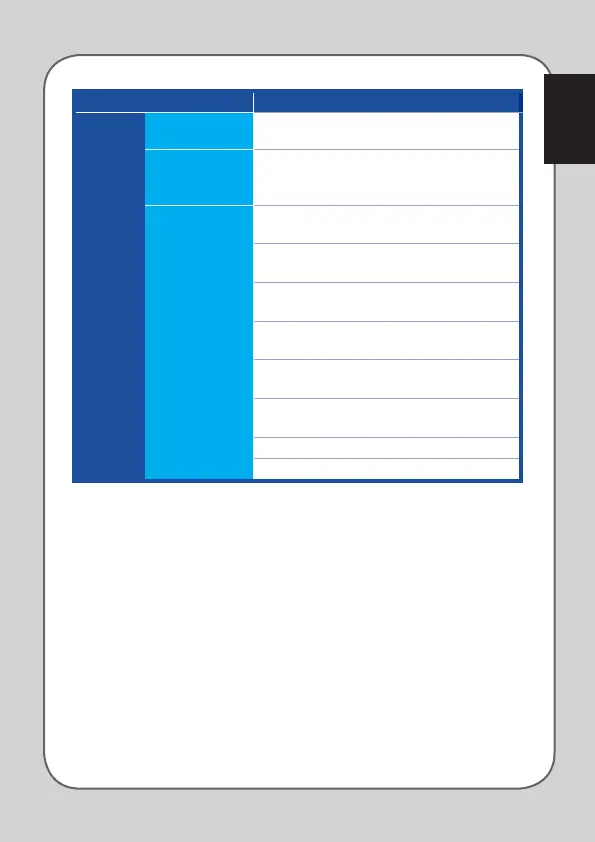
Category Items Descriptions
Customize
Default Press to restore the button function to its factory
default settings
Keyboard
Function
Press to simulate the keyboard functions, such as
Ctrl, Shift, Alt or any other keyboard combination
functions such as Ctrl + v
Mouse Function
Left click : simulates the function of the left
mouse button
Right click : simulates the function of the right
mouse button
Scroll click : simulates the function of the scroll
mouse button
Mouse button 7 : performs a Forward command
on most browsers and windows
Mouse button 8 : performs a Backward command
on most browsers and windows
Double click : performs a double-click command
on the left button
Scroll up : performs a Scroll Up command
Scroll down : performs a Scroll Down command





 To Next Page