12
English
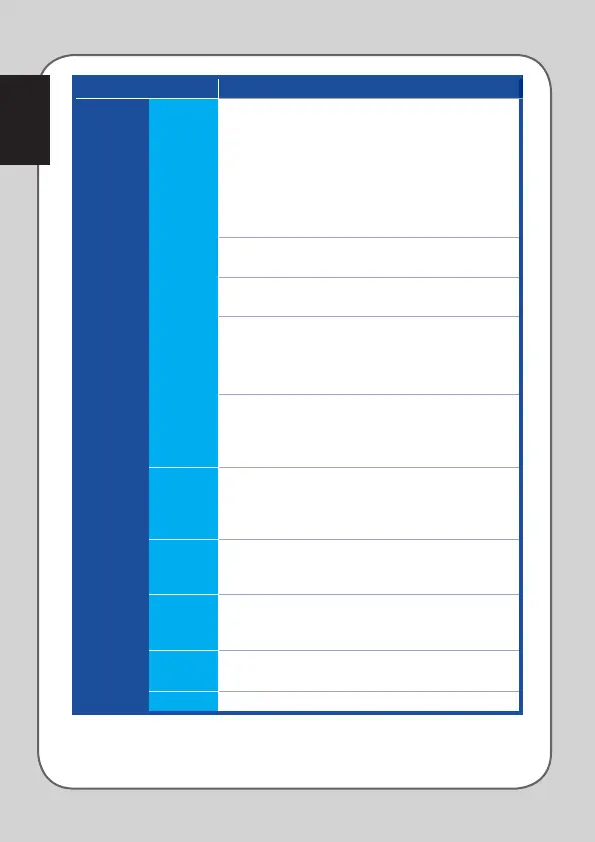
Category Items Descriptions
Customize
Sensitivity
DPI clutch - switches to the DPI clutch setting that has
been configured under Performance sub-tab in the
following two ways:
- Press to switch: press the button to switch to the DPI
clutch setting and release the button to return to the
previous DPI stage.
- Toggle On/Off: press to toggle between the DPI clutch
setting and the current DPI stage.
DPI Stage Up - switches to one DPI stage higher but
remains the same if you have chosen DPI Stage 4.
DPI Stage Down - switches to one DPI stage lower but
remains the same if you have selected DPI Stage 1.
Cycle DPI Stage Up - The DPI stages go up in a cycle.
When the mouse is set to Stage 4 and you keep clicking
this button, the DPI stage will go down to Stage 1 and
then go up to Stage 2 and higher DPI stages.
Cycle DPI Stage Down - The DPI stages go down in a
cycle. When the mouse is set to Stage 1 and you keep
clicking this button, the DPI stage will go up to Stage 4
and then go down to Stage 3 and lower DPI stages.
Macro Allows you to assign the macros that you have recorded
earlier to the mouse buttons. The Playback Option
allows you to configure the macro behavior. Learn more
about creating macro commands in the Macro Tab.
Launch
program
Click the assigned button to launch a web site or a
program. When you want to launch a program, select
the desired program.exe from the Windows® explorer.
Multimedia Click the assigned buttons to perform media functions,
including: volume up, volume down, volume mute,
play/pause, next track, and previous track.
Switch
Profile
Allows you to change profiles and load all your pre-
configured settings immediately.
Disable Allows you to disable all the button functions.




 To Next Page