English
13
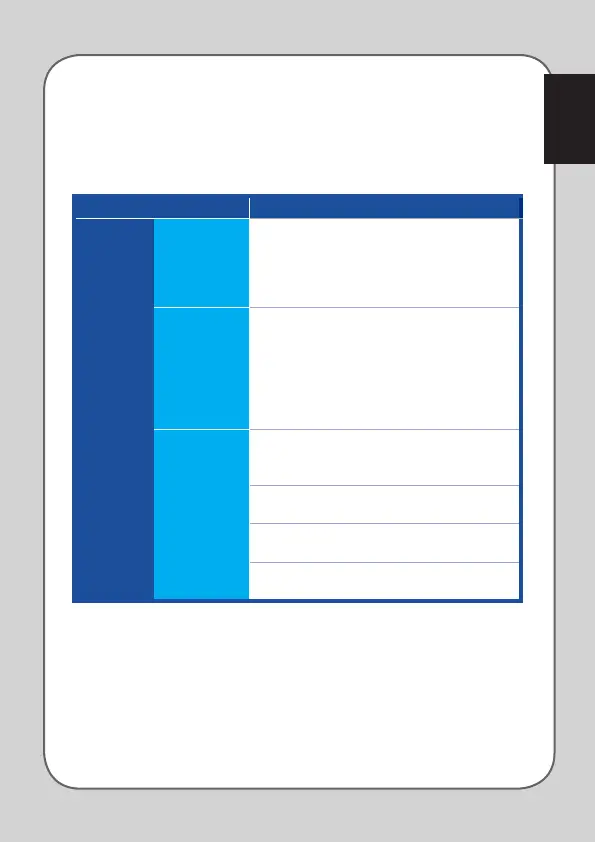
Category Items Descriptions
Performance
Sensitivity (DPI)
Allows you to set the dots-per-inch (DPI) of
the mouse movement. Enable X-Y Sensitivity
when you need different sensitivity for X- and
Y-axis movement. You can set each DPI stage
individually.
Lift-Off Distance Allows you to set the height you need to lift
the mouse off the mouse pad or the surface to
stop tracking. If you encounter irregular mouse
movements when you are using your mouse on
your mouse pad or surface, try setting a longer
lift-off distance. The setting is universal for all DPI
stages and the DPI Clutch stage.
Polling Rate
(Response Time)
Allows you to set the data refreshing frequency
for the mouse. The setting is universal for all DPI
stages and the DPI Clutch stage.
125Hz (8ms) - the mouse reports data once every
8ms
500Hz (2ms) - the mouse reports data once every
2ms
1000Hz (1ms) - the mouse reports data once
every 1ms
Performance
The Performance sub-tab allows you to adjust the Sensitivity/Dots-Per-Inches (DPI),
Lift-Off Distance and Polling Rate/Response Time of the mouse and save changes to
the current profile automatically.
You can customize five DPI stages: DPI Stage 1 to 4 for instant DPI switching and an
independent stage DPI Clutch (the default function of Button 7).
Lighting
The Lighting sub-tab allows you to turn on/off the light of the scroll wheel and logo
of the mouse.




 To Next Page