22
ASUS Transformer Book E-Manual
Getting started
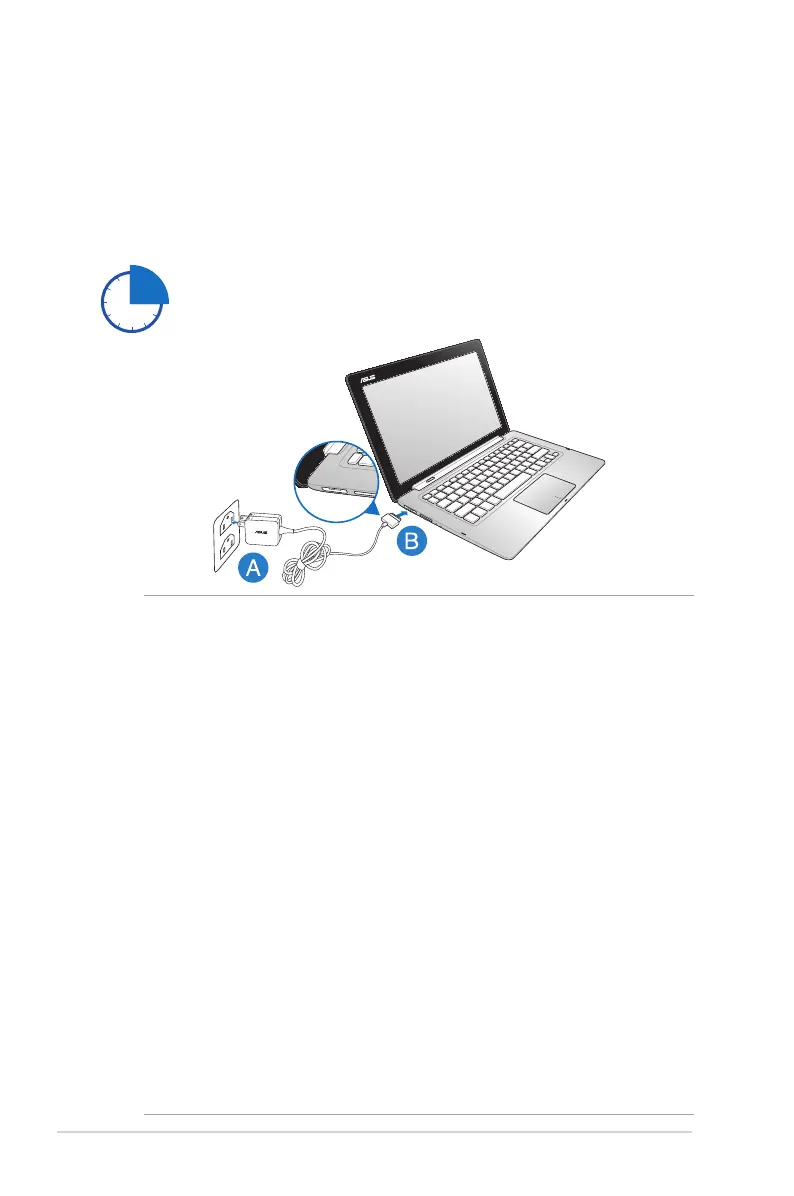
Charge the ASUS Transformer Book for 3 hours before
using it in battery mode for the rst time.
IMPORTANT!
• Ensure that your ASUS Transformer Book is connected to the
power adapter before turning it on for the rst time.
• Ensure that your AC power adapter is plugged-in to a grounded
power outlet when using with your ASUS Transformer Book.
• When using your ASUS Transformer Book on power adapter mode,
the socket outlet must be near to the unit and easily accessible.
• Locate the input/output rating label on your ASUS Transformer
Book and ensure that it matches the input/output rating
information on your power adapter. Some ASUS Transformer Book
models may have multiple rating output currents based on the
available SKU. Refer below for the ASUS Transformer Book power
adapter information:
- Input voltage: 100-240Vac
- Input frequency: 50-60Hz
- Rating output current: 3.42A (65W)
- Rating output voltage: 19V
Charge your ASUS Transformer Book.
A. Plug the AC power adapter into a 100V~240V power source.
B. Connect the DC power connector into your ASUS Transformer
Book’s power (DC) input.



 To Next Page