ASUS Transformer Book E-Manual
31
Two-nger gestures
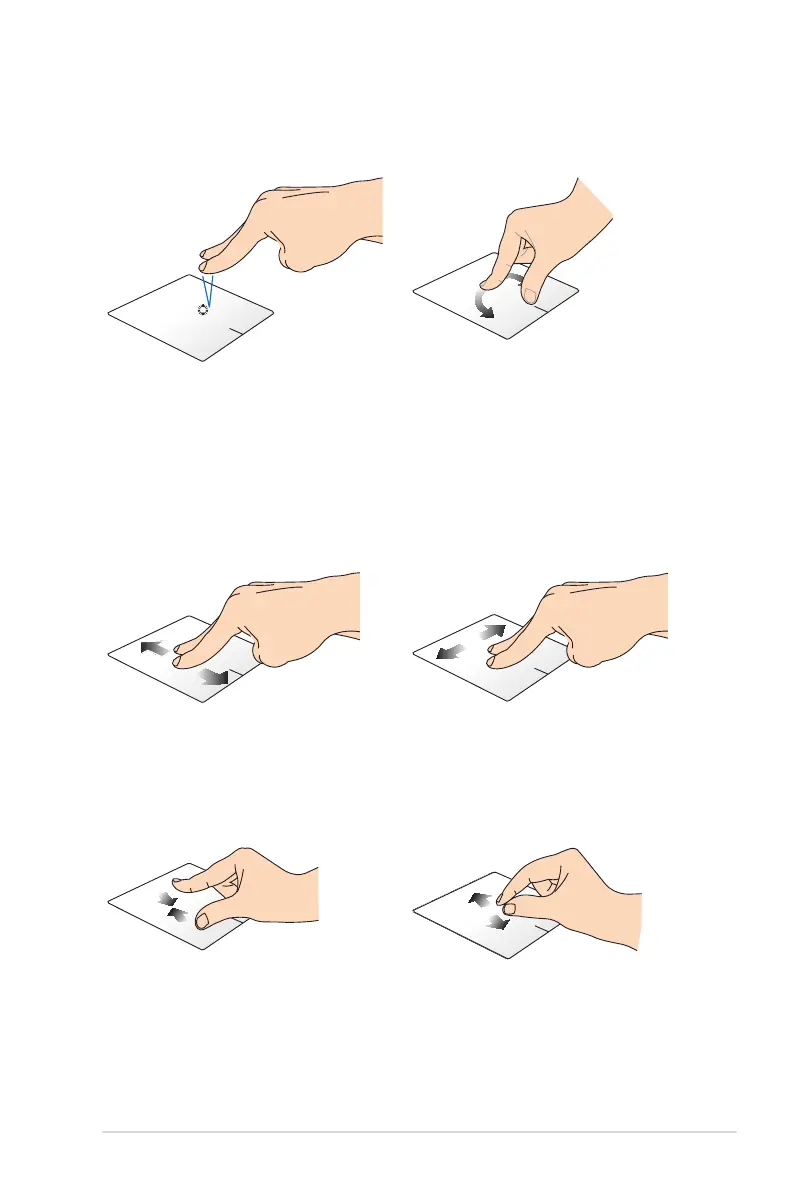
Tap Rotate
Tap two ngers on the touchpad
to simulate the right-click
function.
To rotate an image, place two
ngers on the touchpad then
turn one nger clockwise or
counterclockwise while the other
stays still.
Two-nger scroll (up/down) Two-nger scroll (left/right)
Slide two ngers to scroll up or
down.
Slide two ngers to scroll left or
right.
Zoom out Zoom in
Bring together your two ngers
on the touchpad.
Spread apart your two ngers on
the touchpad.



 To Next Page