34
ASUS Transformer Book E-Manual
Function keys for ASUS Apps
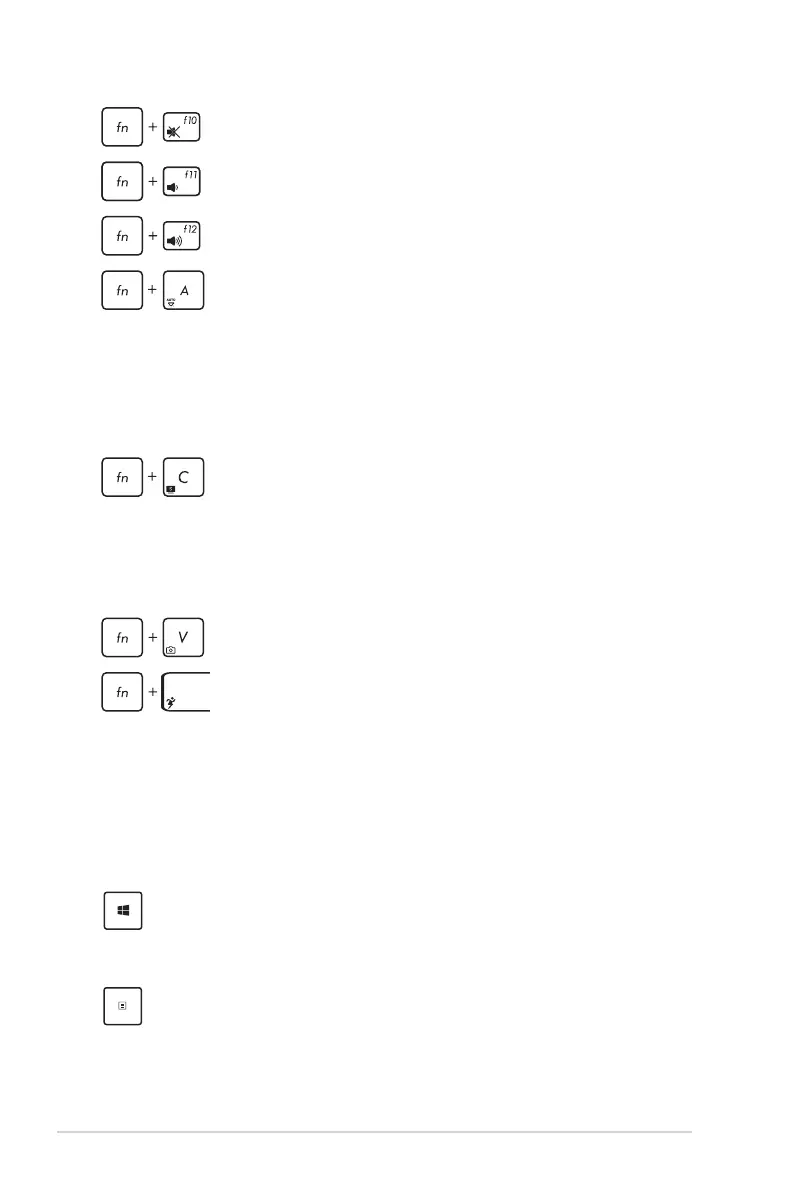
Your ASUS Transformer Book also comes with a special set of
function keys that can be used to launch ASUS apps.
Windows®8 keys
There are two special Windows® keys on your ASUS Transformer
Book’s keyboard used as below:
Toggles the ASUS Splendid Video Enhancement
Technology app to switch between these display
color enhancement modes: Gamma Correction,
Vivid Mode, Theater Mode, Soft Mode, My Prole,
and Normal.
Launches the ASUS LifeFrame app
Launches the ASUS Power4Gear Hybrid app
Press this key to go back to the Start screen. If you are
already in the Start screen, press this key to go back to the
last app you opened.
Press this key to simulate the right-click functions.
Turns the speaker on or o
Turns the speaker volume down
Turns the speaker volume up
(on selected models) Toggles the ambient light
sensor on or o



 To Next Page