72
ASUS Transformer Book E-Manual
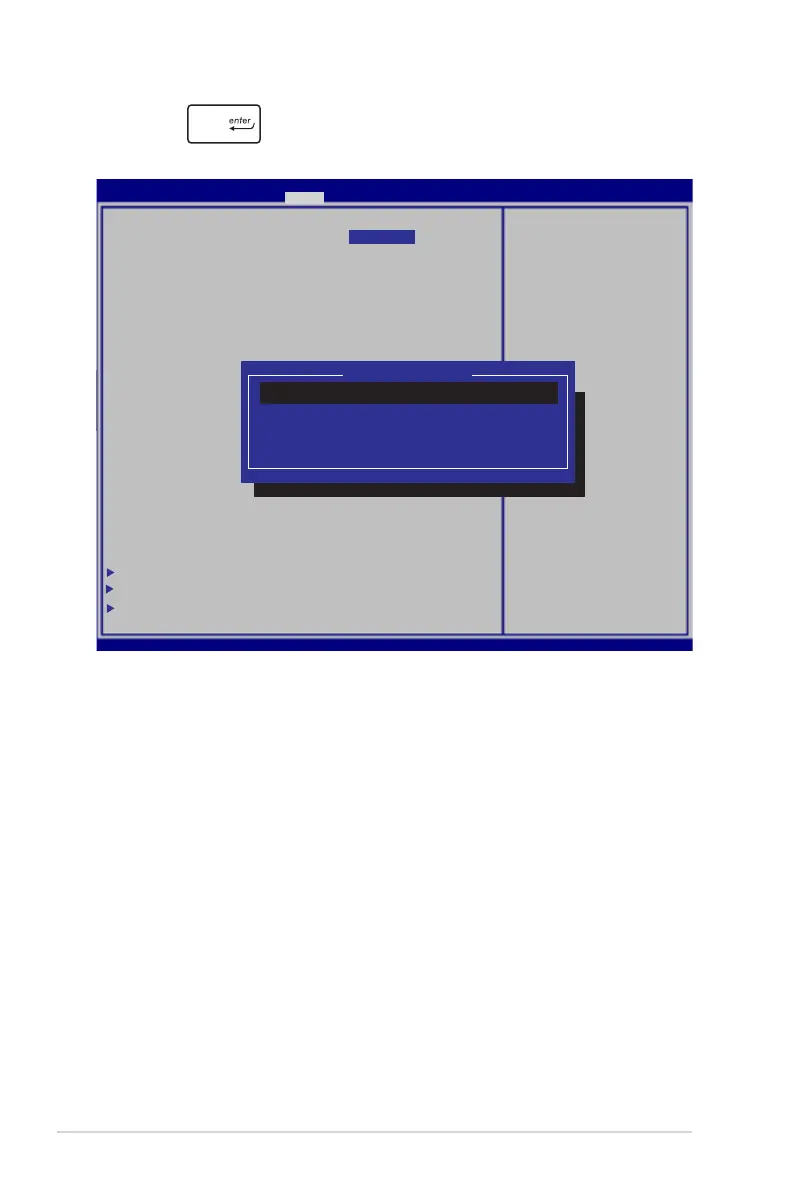
2. Press and select a device as the Boot Option #1.
S e t A d m i n i s t r a t o r
Password. The password
length must be in the
following range:
Minimum length 3
Maximum length 20
Aptio Setup Utility - Copyright (C) 2012 American Megatrends, Inc.
Main Advanced Chipset Boot Security Save & Exit
→←
: Select Screen
↑↓
: Select Item
Enter: Select
+/— : Change Opt.
F1 : General Help
F9 : Optimized Defaults
F10 : Save & Exit
ESC : Exit
Version 2.15.1226. Copyright (C) 2012 American Megatrends, Inc.
Boot Conguration
Setup Prompt Timeout 2
Bootup NumLock State [Off]
Quiet Boot [Enabled]
UEFI Boot [Enabled]
CSM16 Module Version 07.69
Gate A20 Active [Upon Request]
Option ROM Messages [Force BIOS]
INT19 Trap Response [Immediate]
Driver Option Priorities
Boot Option Priorities
Boot Option #1 [Windows Boot...]
Boot Option #2 [Hitachi HTS...]
Boot Option #3 [ASIX...]
BEV Device BBS Priorities
Hard Drive BBS Priorities
Add New Boot Option
Delete Boot Option
CSM parameters
Boot Option #1
Windows Boot Manager
ASIX AX88179 PXE v.1.0.100 Beta1
Hitachi HTS545050A7E380 1003
Disabled



 To Next Page