78
ASUS Transformer Book E-Manual
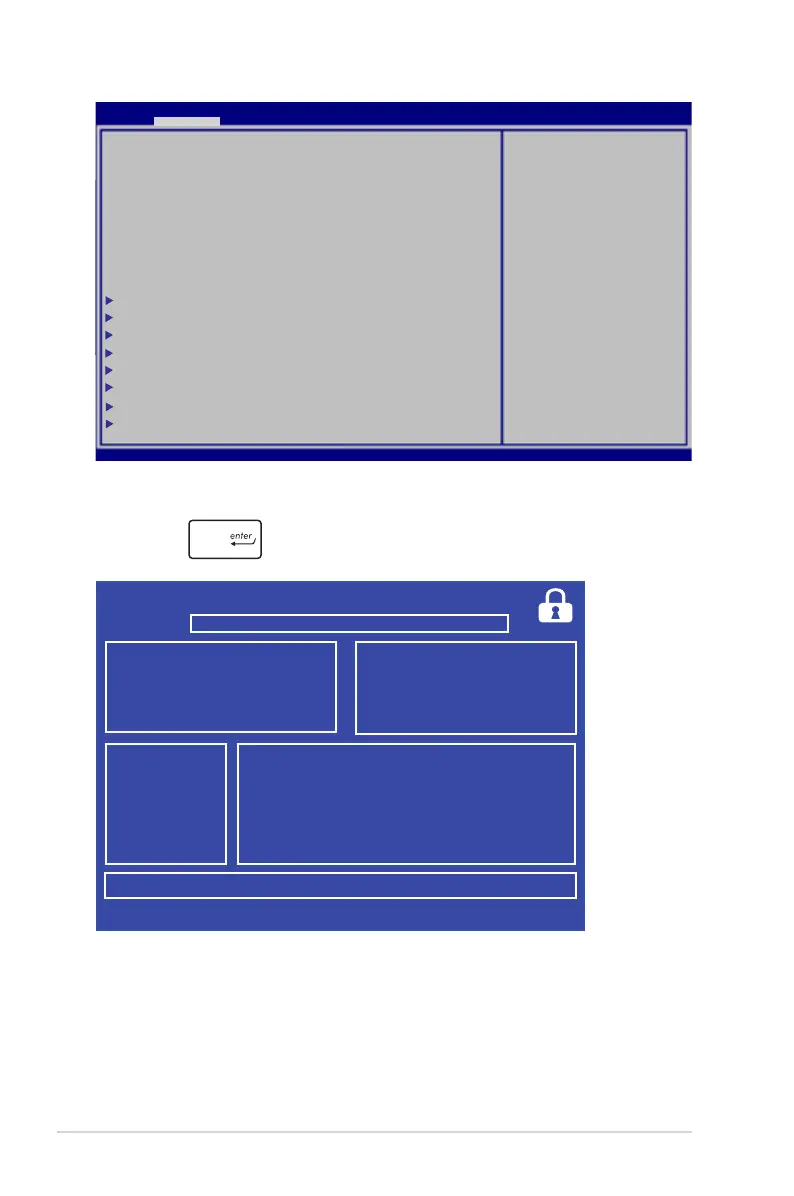
6. Locate your downloaded BIOS le in the ash disk drive then
press .
7. After the BIOS update process, select Exit > Restore Defaults to
restore the system to its default settings.
ASUSTek Easy Flash Utility
FSO
FS1
FS2
FS3
0 EFI <DIR>
[←→]: Switch [↑↓]: Choose [q]: Exit [Enter]: Enter/Execute
Current BIOS
Platform: TX300CA
Version: T10
Build Date: Aug 21 2012
Build Time: 16:48:10
New BIOS
Platform: Unknown
Version: Unknown
Build Date: Unknown
Build Time: Unknown
FLASH TYPE: Winbond 25X/Q Series
Aptio Setup Utility - Copyright (C) 2011 American Megatrends, Inc.
Start Easy Flash
Internal Pointing Device [Enabled]
Wake On Lid Open [Enabled]
Power Off Energy Saving [Enabled]
Instant ON [Disabled]
Intel Virtualization Technology [Enabled]
Intel AES-NI [Enabled]
VT-d [Enabled]
PCI Subsystem Settings
ACPI Settings
CPU Conguration
SATA Conguration
Thermal Conguration
Graphics Conguration
Internal GOP Conguration
DPTF Conguration
Press Enter to run the
utility to select and
update BIOS.
Aptio Setup Utility - Copyright (C) 2012 American Megatrends, Inc.
Main Advanced Chipset Boot Security Save & Exit
→←
: Select Screen
↑↓
: Select Item
Enter: Select
+/— : Change Opt.
F1 : General Help
F9 : Optimized Defaults
F10 : Save & Exit
ESC : Exit
Version 2.15.1226. Copyright (C) 2012 American Megatrends, Inc.



 To Next Page