EasyManua.ls Logo

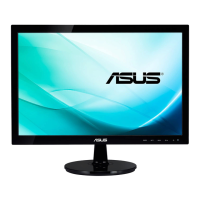
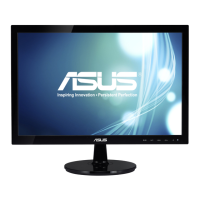
Asus VS197DE - User Manual

Asus VS197DE
20 pages
Print Icon
To Next Page IconTo Next Page
Loading...
VS197/VS198 Series
LCD Monitor
User Guide
Question and Answer IconNeed help?

Do you have a question about the Asus VS197DE and is the answer not in the manual?

Summary

Notices

Federal Communications Commission Statement

FCC compliance statement for the device, detailing two conditions for operation.

Canadian Department of Communications Statement

Statement confirming the digital apparatus complies with Canadian ICES-003.

Safety Information

Care & Cleaning

Where to Find More Information

ASUS Websites

Provides updated information on ASUS hardware and software products.

Optional Documentation

Mentions optional documents that may be included by the dealer.

Chapter 1: Product Introduction

1.1 Welcome!

Welcoming message and overview of the monitor's features.

1.2 Package Contents

Lists all items included in the LCD monitor package.

1.3 Assembling the Monitor Base

Step-by-step instructions for attaching the monitor base.

1.4 Connecting Cables

Guide on how to connect various cables to the monitor.

1.5.1 Front of the LCD Monitor

Identifies and explains the buttons and indicators on the monitor's front panel.

1.5.2 Rear of the LCD Monitor

Details the ports and connectors located on the back of the monitor.

Chapter 2: Setup

2.1 Detaching the Arm;Stand (for VESA Wall Mount)

Instructions for removing the monitor stand for VESA wall mounting.

2.2 Adjusting the Monitor

Guidance on tilting and positioning the monitor for optimal viewing.

Chapter 3: General Instruction

3.1 OSD (On-Screen Display) Menu

Explanation of how to navigate and use the On-Screen Display menu.

3.1.1 How to Reconfigure

Step-by-step guide for navigating and changing settings within the OSD menu.

3.1.2 OSD Function Introduction

Detailed introduction to specific functions available in the OSD menu.

3.2 Specifications

Technical specifications for the VS197/VS198 series monitors.

3.3 Troubleshooting (FAQ)

Common problems and their possible solutions for the monitor.

3.4 Supported Timing List

List of supported video resolutions and refresh rates for VESA/IBM modes.

Overview

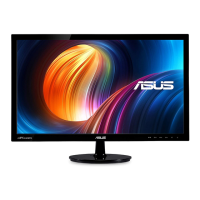
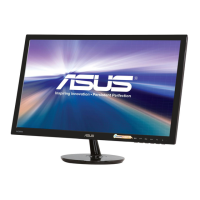
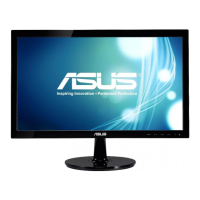
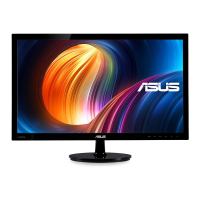
The ASUS VS197/VS198 Series LCD Monitor is a widescreen display designed to provide a crisp, broad, and bright visual experience with a host of features to enhance user interaction. This monitor is suitable for various applications, from document editing and gaming to movie watching and graphic design.

Function Description

The ASUS VS197/VS198 Series LCD Monitor serves as a visual output device for computers, displaying images and video content. It supports both VGA and DVI input signals, allowing for compatibility with a wide range of systems. Certain models (VS197T, VS197TE) also include an audio-in port, enabling the monitor to output sound. The monitor features an On-Screen Display (OSD) menu for easy configuration and adjustment of various display settings, ensuring an optimized viewing experience for different content types and user preferences.

Usage Features

The monitor offers several features to enhance its usability and adapt to different scenarios:

  • SPLENDID™ Video Enhancement Technology: This technology provides six video preset modes: Scenery, Standard, Theater, Game, Night View, and sRGB. Users can easily switch between these modes using a dedicated hotkey to optimize the display settings for specific content, such as vibrant scenery photos, clear documents, immersive movies, dynamic games, dark-scene viewing, or accurate photo and graphic display from PCs.
  • Image Adjustment: Users can fine-tune image quality through the OSD menu. This includes adjusting sharpness, aspect ratio (Full or 4:3), and enabling/disabling the ASUS Smart Contrast Ratio (ASCR) for dynamic contrast. For VGA input, additional adjustments like horizontal and vertical position, and focus (phase and clock) are available to reduce line noise and ensure a clear image.
  • Color Control: The monitor allows for extensive color customization. Users can select from preset color temperatures (Cool, Normal, Warm) or a User Mode for personalized RGB adjustments. Skin Tone settings (Reddish, Natural, Yellowish) are also available to achieve desired color rendition.
  • Input Selection: The monitor supports multiple input sources, including VGA and DVI (available on specific models like VS197N, VS198N, VS197T, VS197TE), allowing users to connect different devices and switch between them as needed.
  • OSD Setup: The OSD menu provides comprehensive system configuration options, including OSD timeout, DDC/CI (Display Data Channel/Command Interface) settings, and transparency of the OSD screen. Users can also select the OSD language from a variety of options, including English, French, German, Spanish, Italian, Dutch, Russian, Traditional Chinese, Simplified Chinese, and Japanese.
  • Volume Control: For models with audio capabilities (VS197T, VS197TE), the monitor offers adjustable output volume directly through the OSD, with a range from 0 to 100.
  • ECO Mode: This power-saving mode helps reduce energy consumption. When activated, the monitor's brightness is lowered, which may affect the distinction of some gray levels, especially when the Contrast Ratio is set to 100.
  • Smart View: This feature enhances visibility when the screen is tilted, providing a clearer image from different viewing angles.
  • Ergonomic Adjustments: The monitor stand allows for tilt adjustments from -5° to 20°, enabling users to find the most comfortable viewing angle.
  • VESA Wall Mount Compatibility: The detachable stand is designed for VESA wall mount (75mm x 75mm), offering flexibility for alternative mounting solutions. A UL Listed Wall Mount Bracket with appropriate weight/load capacity is recommended for wall mounting.
  • Hotkey Functionality: Dedicated hotkeys on the front panel provide quick access to frequently used functions. The "S" button automatically adjusts the image to its optimized position, clock, and phase for VGA mode, and also cycles through the SPLENDID™ video preset modes. The "▼" and "▲" buttons are used for navigation within the OSD and for adjusting values, also serving as hotkeys for contrast and brightness adjustment respectively.

Maintenance Features

Proper care and maintenance are crucial for the longevity and optimal performance of the monitor:

  • Cleaning: The monitor should be cleaned with a lint-free, non-abrasive cloth after being turned off and unplugged. Stubborn stains can be removed with a cloth dampened with a mild cleaner specifically intended for LCDs. Alcohol or acetone-based cleaners should be avoided, and cleaner should never be sprayed directly onto the screen to prevent internal dripping and potential electric shock.
  • Handling: When moving the monitor, it is recommended to disconnect all cables and the power cord. The monitor should be lifted or carried by its edges, not by the stand or the cord, to prevent damage.
  • Ventilation: The cabinet has slots and openings for ventilation, which should not be blocked. The monitor should not be placed near radiators or heat sources unless proper ventilation is ensured.
  • Power Management: The monitor should be operated only from the specified power source. Overloading power strips and extension cords should be avoided to prevent fire or electric shock. Unplugging the unit during lightning storms or prolonged periods of disuse can protect it from power surges.
  • Environmental Considerations: The monitor should be kept away from dust, humidity, and extreme temperatures. It should be placed on a stable surface and not in areas where it might get wet.
  • Troubleshooting: The user guide provides a comprehensive troubleshooting section (FAQ) to address common issues such as no power, no screen image, image quality problems (too light/dark, not centered, blurry, color defects), and sound issues (for models with audio). This section offers possible solutions like checking cable connections, adjusting OSD settings, and ensuring proper driver installation.
  • Safety Information: The manual emphasizes critical safety guidelines, including never attempting to open the monitor cabinet due to high voltages, contacting qualified service technicians for repairs, and ensuring all cables are correctly connected and undamaged before use. The socket-outlet should be easily accessible.
  • Energy Star Compliance: The monitor is designed to be energy-efficient, complying with Energy Star 5.0 guidelines for power consumption in ON, Saving, and OFF modes.

Asus VS197DE Specifications

General IconGeneral
3DNo
HD typeWXGA
Pixel pitch0.3 x 0.3 mm
Aspect ratio16:9
Screen shapeFlat
Display surface-
Display diagonal18.5 \
Display resolution1366 x 768 pixels
Vertical scan range55 - 75 Hz
Horizontal scan range30 - 80 kHz
Viewing angle, vertical65 °
Contrast ratio (dynamic)50000000:1
Display number of colors16.78 million colors
Viewing angle, horizontal90 °
Display brightness (typical)200 cd/m²
Supported graphics resolutions1366 x 768
AC (power) inYes
HDMI ports quantity0
Tilt angle range-5 - 20 °
Cable lock slot typeKensington
Panel mounting interface75 x 75 mm
Energy efficiency scaleA++ to E
Power consumption (off)0.5 W
Power consumption (standby)- W
Power consumption (typical)13.8 W
CertificationBSMI, CB, CCC, CE, C-Tick, ErP, FCC, Gost-R, J-MOSS, PSB, RoHS, UL/cUL, VCCI, WEEE, WHQL
Product colorBlack
Package depth114 mm
Package width495 mm
Package height421 mm
Package weight3900 g
Sustainability certificatesENERGY STAR
Harmonized System (HS) code85285210
Weight and Dimensions IconWeight and Dimensions
Depth (with stand)185 mm
Width (with stand)447 mm
Height (with stand)346 mm
Weight (with stand)2600 g
Width (without stand)- mm
Weight (without stand)- g

Related product manuals