Disassembly Procedure
33
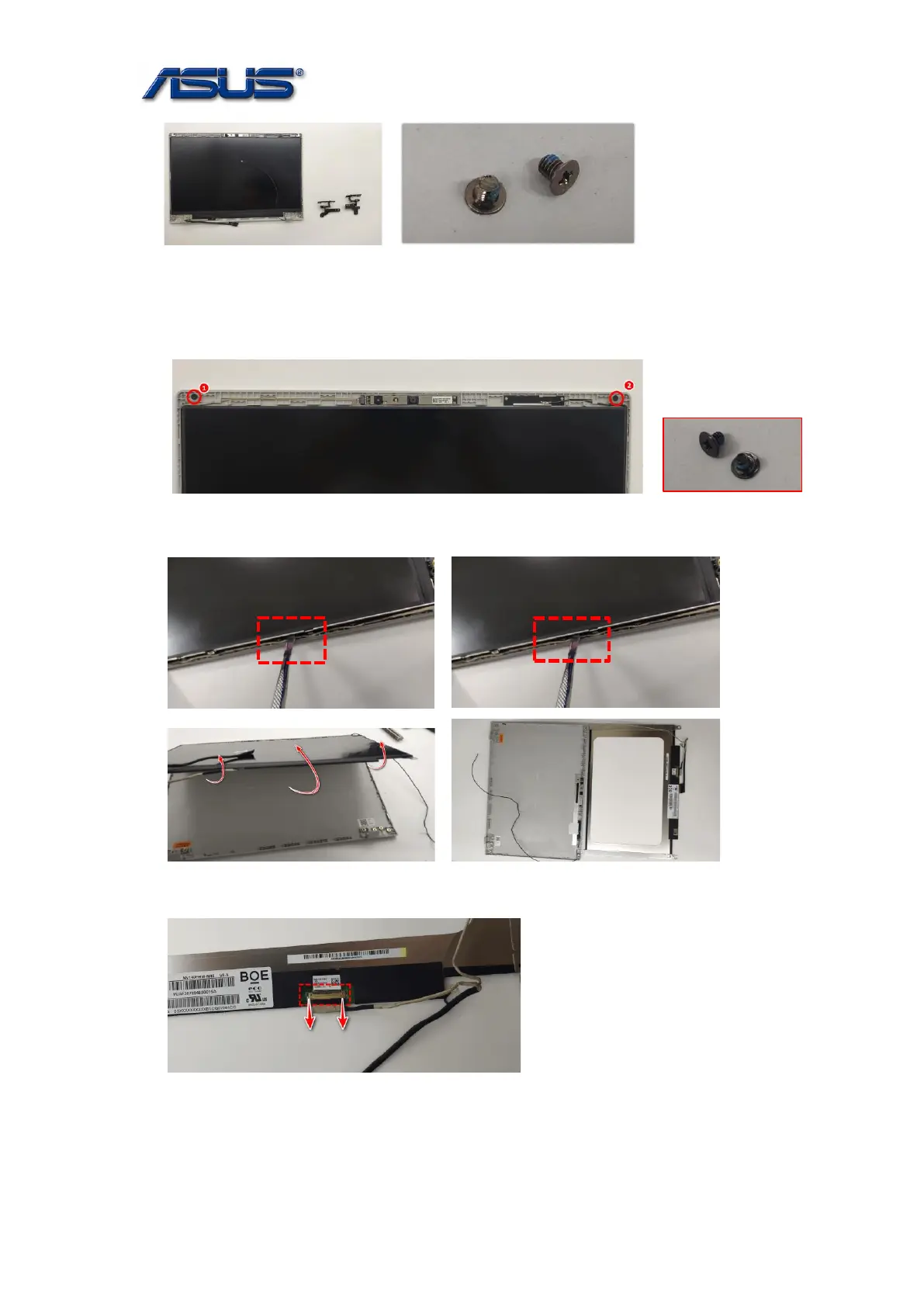
SCREW M2.5*3L (K) W-NI NY
Notice: If you need to replace hinges (hinge covers), please make sure hinge (hinge cover) R and
hinge (hinge cover) L are the same vendor .
5. Remove 2 screws on the bracket.
Screw tightening torque (Kg F-cm): 2.0KG±0.2kgf.
M2*2.5L D4.5(K)B-ZN,NY#1
6. Pry the LCD Bracket and rotate the LCD Panel carefully.
7. Disconnect the EDP Cable and take out the LCD panel carefully.



 To Next Page