28
ASUS Xonar U7 User Manual
English
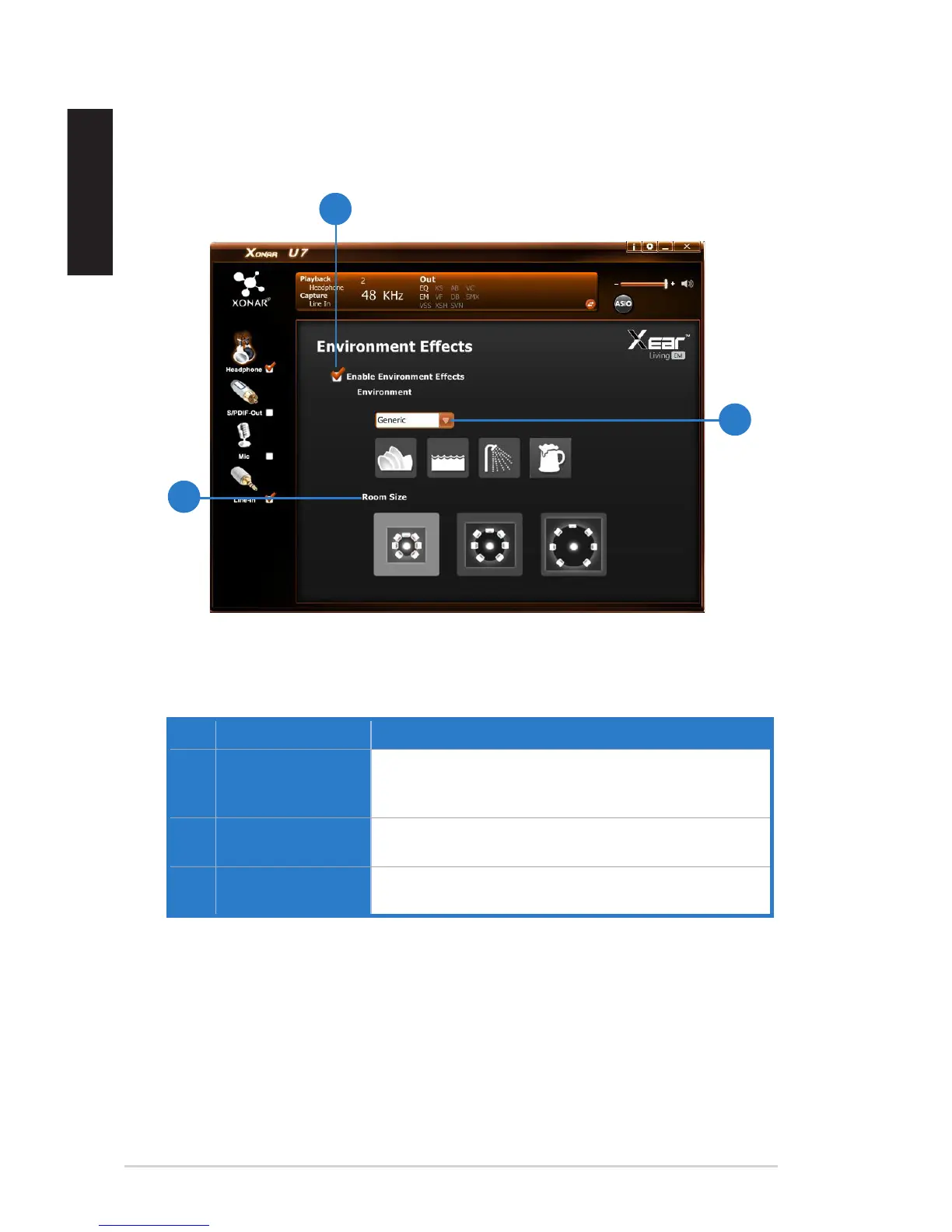
5.2.7 Environment Effect
Function Introduction
No. Items Description
1. Environment Effect
enable/disable
switch
Click on the check box to enable / disable Environment
Effect.
2. Environment Effect
mode
Click on an Environment Effect button or drop the
dropdown list to choose an Environment Effect.
3. Room Size Change the Room Size icon to simulate a larger or smaller
space.
This function provides 28 special environment emulations for different sound
reections and revweberation.


 To Next Page