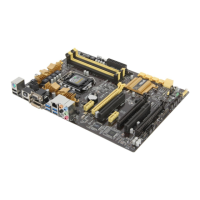
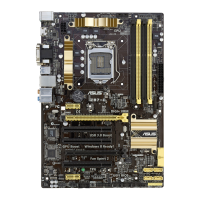
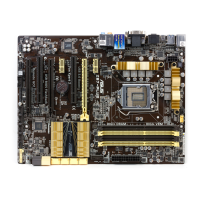
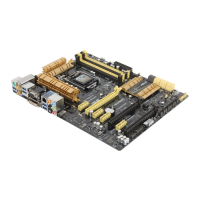
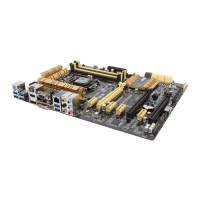
ASUS Z87M-PLUS
3-17
Chapter 3
CPU Internal Power Configuration
CPU Integrated VR Efficiency Management [Auto]
Allows you to improve power saving when the processor is in low power state. Disable
to make the Fully Integrated Voltage Regulator work in high performance at all times.
Conguration options: [Auto] [High Performance] [Balanced]
Power Decay Mode [Auto]
Allows your system to improve the power saving mode on the Fully Integrated Voltage
Regulator as the processor goes into low current state. Conguration options: [Auto]
[Disabled] [Enabled]
Idle Power-in Response [Auto]
Allows you to set the slew rate for the Fully Integrated Voltage Regulator as it enters
manual override mode. Conguration options: [Auto] [Regular] [Fast]
Idle Power-out Response [Auto]
Allows you to set the slew rate for the Fully Integrated Voltage Regulator as it exits
manual override mode. Conguration options: [Auto] [Regular] [Fast]
Power Current Slope [Auto]
Allows you to set the gradient of the high-speed active phase current balance during
load transients to eliminate current imbalance that can result from a load current
oscillating near the switching frequency. Conguration options: [Auto] [LEVEL -4]
- [LEVEL 4]
Power Current Offset [Auto]
Allows you to increase or decrease the output current sensed by the CPU. It nds
the balance between optimal regulating while staying below the current threshold.
Conguration options: [Auto] [100%] [87.5%] [75.0%] [62.5%] [50.0%] [37.5%] [25.0%]
[12.5%] [0%] [-12.5%] [-25.0%] [-37.5%] [-50.0%] [-62.5%] [-75.0%] [-87.5%] [-100%]
Power Fast Ramp Response [Auto]
Allows you to increase to enhance the response of the voltage regulator during the
load transient. Conguration options: [Auto] [0.00] - [1.50]
CPU Internal Power Saving Control
Power Saving Level 1 Threshold [Auto]
Lower value provides sufcient overclocking tolerance to enlarge the overclocking
potential. Higher value provides better power-saving condition.Use <+> or <-> key to
adjust the value. The values range from 0A to 80A at 1Amp increment.
Power Saving Level 2 Threshold [Auto]
Lower value provides sufcient overclocking tolerance to enlarge the overclocking
potential. Higher value provides better power-saving condition.Use <+> or <-> key to
adjust the value. The values range from 0A to 50A at 1Amp increment.
Power Saving Level 3 Threshold [Auto]
Lower value provides sufcient overclocking tolerance to enlarge the overclocking
potential. Higher value provides better power-saving condition.Use <+> or <-> key to
adjust the value. The values range from 0A to 30A at 1Amp increment.



 To Next Page