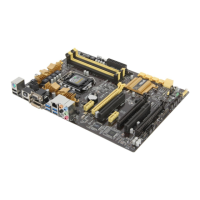
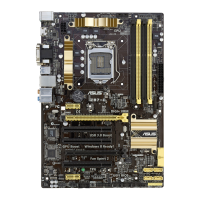
ASUS Z87M-PLUS
3-41
Chapter 3
PS/2 Keyboard and Mouse Support [Auto]
Select any of these settings when PS/2 keyboard and mouse are installed. These
settings only apply when Fast Boot is enabled.
[Auto] For a faster POST time, PS/2 devices will only be available when
the system boots up or rebooted when the PS/2 devices have not
been reconnected or changed. If you disconnect or change PS/2
devices before restarting the system, PS/2 devices will not be
available and BIOS setup program will not be accessible via PS/2
devices.
[Full Initialization] For full system control, PS/2 devices will be available during
POST at any circumstances. This process will extend POST time.
[Disabled] For the fastest POST time, all PS/2 devices will not be available
until your computer enters the operating system.
Network Stack Driver Support [Disabled]
[Disabled] Select to skip the network stack driver from loading during POST.
[Enabled] Select to load the network stack driver during POST.
Next Boot after AC Power Loss [Normal Boot]
[Normal Boot] Returns to normal boot on the next boot after an AC power loss.
[Fast Boot] Accelerates the boot speed on the next boot after an AC power loss.
Boot Logo Display [Enabled]
[Enabled] Enables the full screen boot logo display during POST.
[Disabled] Disables the full screen boot logo display during POST.
The following items appear only when you set the Boot Logo Display to [Enabled].
Boot Logo Size Control [Auto]
[Auto] Automatically adjusts for Windows
®
requirements.
[Full Screen] Maximizes the boot logo size.
Post Delay Time [3 sec]
This item appears only when you set the Boot Logo Display item to [Enabled]. This
item allows you to select a desired additional POST waiting time to easily enter the
BIOS Setup. You can only execute the POST delay time during normal boot. The
values range from 0 to 10 seconds.
This feature will only work when set under normal boot.
The following items appear only when you set the Boot Logo Display to [Disabled].
Post Report [5 sec]
This item allows you to select a desired POST report waiting time. Conguration
options: [1 sec] - [10 sec] [Until Press ESC]



 To Next Page