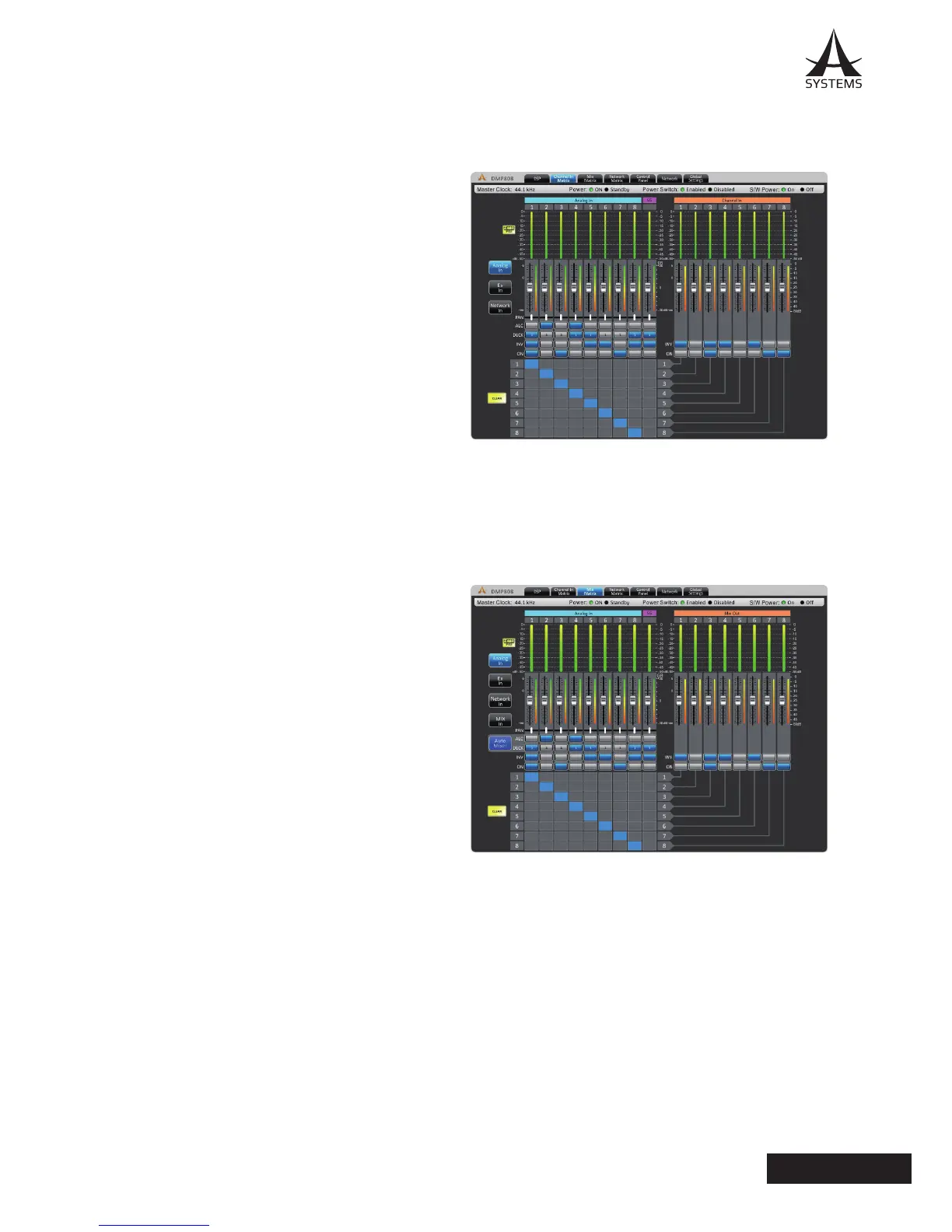
Channel In Matrix
This page offers matrix mixing for the Analog inputs to the Channel Input mixes� Any of the input sources can be assigned
to the individual “Channel Input” mixes�
Each of the possible input matrix sources can have a
number of controls available� These include:
Attenuation: Adjust the input level of each of the
individual signals�
Panning: These will let you adjust the left/right mix of the
incoming signals�
ALC: This button will assign the DMP808’s Auto Level
Control to the corresponding input signal�
Duck: Pushing this button will apply the ducking feature
to the corresponding input signals� The duck function can
be activated as ducker 1, ducker 2, or off, the settings of
which are decided by their respective menus�
INV: This button will invert the phase of the corresponding
signal�
On: This button allows you to turn the corresponding
input signal on and off� When turned off, the signal will
not be sent to the Input Channels selected�
Routing: Each of the 12 analog inputs can be assigned to the DMP808’s 8 matrix channels� These input channels are
what will be used for the DSP processing and will be then routed to your output mix�
Mix Matrix
Each of the 12 input channels and the 8 matrix inputs can be tweaked before being sent to the main output�
Attenuation: Adjust the input level of each of the individual input signals or matrix mixes�
Panning: These will let you adjust the left/right mix of the
incoming signals�
ALC: This button will assign the DMP808’s Auto Level
Control to the corresponding input (channel in, matrix in).
Duck: Pushing this button will apply the ducking feature
to the corresponding mix� The duck function can be
activated as ducker 1, ducker 2, or off, the settings of
which are decided by their respective menus�
Auto Mixer: This button will link the ALC and Duck buttons
for each channel� It is recommended that you activate the
Auto Mixer button before activating the ALC or Duck as
to ensure this function works as expected� Once active,
activating the Duck will activate the ALC, and vice versa�
INV: This button will invert the phase of the corresponding
input or matrix signal�
On: This button allows you to turn the corresponding
input signal on and off� When turned off, the signal will
not be sent to any of the matrix outputs selected�
Routing: Each of the 12 analog inputs and matrix inputs can be assigned to the DMP808’s output mix�


 To Next Page
 Loading...