EasyManua.ls Logo

Atag HI1271S - User Manual

Atag HI1271S
61 pages
Go to English
Print Icon
To Next Page IconTo Next Page
Loading...
700003175200
Het toestel-identifi catieplaatje bevindt zich aan de onderkant van het toestel.
The appliance identifi cation card is located on the bottom of the appliance.
Plak hier het toestel-identifi catieplaatje.
Stick the appliance identifi cation card here.
Houd, wanneer u contact opneemt met de serviceafdeling, het complete typenummer bij de hand.
When contacting the service department, have the complete type number to hand.
Adressen en telefoonnummers van de serviceorganisatie vindt u op de garantiekaart.
You will fi nd the addresses and phone numbers of the service organisation on the guarantee card.
gebruiksaanwijzing
inductiekookplaat
instructions for use
induction hob
HI8271S
HI8271SI
HI9271SV
HI8272S
HI9272SV
HI9272SVI
HI9271SVI
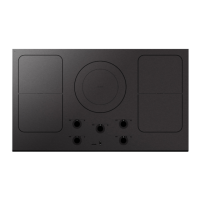
HI1271S
HI6271SV
HI7271S
HI7271SI

Questions and Answers

  • C
    Cameron FlowersAug 20, 2025
    How to fix fault code FAN on my Atag Hob?
    • L
      Linda WatsonAug 20, 2025
      If you see fault code FAN on your Atag Hob, it indicates that the air circulation is not good. Make sure that the ventilation openings below the hob are open.
  • M
    Mathew SingletonAug 22, 2025
    Why is my Atag HI1271S Hob not working and the display is blank?
    • D
      David LoganAug 22, 2025
      If the hob is not working and nothing appears on the display, it could be due to a lack of power supply caused by a defective cable or faulty connection. Check the fuses or the electrical switch if there is no plug.
  • K
    Kathryn JonesAug 25, 2025
    What to do if a fuse blows when I switch on my Atag Hob?
    • C
      Corey HamptonAug 25, 2025
      If a fuse blows as soon as the Atag hob is switched on, it's likely that the hob has been wrongly connected. You should check the electrical connections.
  • K
    Katelyn MerrittAug 27, 2025
    How to fix fault code F00 on my Atag HI1271S Hob?
    • A
      andrew53Aug 27, 2025
      If fault code F00 appears, and the red lamp next to the child lock button is illuminated while the lamp above the pause button is flashing on your Atag hob, it means the control panel is dirty or has water on it. Clean the control panel to resolve this issue.
  • R
    Robert BallAug 28, 2025
    What does fault code F8 mean on my Atag Hob?
    • J
      Jeffrey LiAug 28, 2025
      If fault code F8 or F08 appears, and the red lamp next to the child lock button is illuminated while the lamp above the pause button is flashing on your Atag hob, the appliance has overheated. Allow the appliance to cool down before you start cooking again.
  • E
    eaguilarAug 30, 2025
    What does fault code F99 mean on my Atag Hob?
    • G
      Gregory RossAug 30, 2025
      If fault code F99 appears, and the red lamp next to the child lock button is illuminated while the lamp above the pause button is flashing on your Atag hob, it indicates that you have operated 2 or more buttons at the same time. Avoid pressing multiple buttons simultaneously.
  • J
    Joshua AllenSep 1, 2025
    What does 'BR' on my Atag HI1271S Hob display mean?
    • M
      mromeroSep 1, 2025
      If 'BR' appears in the display of your Atag Hob and the operation does not react, the bridge function is likely switched on. You should switch the bridge function off.
  • M
    Monica VegaSep 3, 2025
    Why did my Atag HI1271S Hob cooking zone suddenly stop?
    • C
      crobertsonSep 3, 2025
      If a cooking zone suddenly stops working and you hear a signal on your Atag hob, it means the preset time has ended. You can switch the signal off by pressing the - or + key of the timer.
  • H
    hernandezmichaelSep 5, 2025
    What does fault code F7 mean on my Atag Hob?
    • M
      Matthew BoydSep 5, 2025
      If you are getting fault code F7 on your Atag hob, the ambient temperature is not good. Switch off all heat sources close to the hob.
  • L
    Lindsay TorresSep 7, 2025
    What does fault code F9 mean on my Atag HI1271S Hob?
    • J
      julia11Sep 7, 2025
      If you see fault code F9 and/or hear a continuous audible signal from your Atag hob, it indicates that the voltage is too high and/or not connected properly. Have your connection changed.

Summary

Control Panel Overview

Layout and Functions

Details the layout, buttons, displays, and indicators of the induction hob's control panel.

Using Your Induction Hob: Mechanics and Pans

Pans Suitable for Induction

Guidelines on selecting suitable pans for induction cooking, including material and base requirements.

Using Your Induction Hob: Pan Details

Pan Suitability and Tips

Details suitable and unsuitable pan materials and provides tips for using enamelled cast-iron pans.

Operation: Switching On and Power Settings

Switching On and Setting Power

Step-by-step guide to switching on a cooking zone and setting the desired power level using the slide control.

Pan Detection and Residual Heat

Explains how the hob detects pans and the function of the residual heat indicator.

Operation: Boost and Zone Management

Boost Function

Information on using the 'boost' function for rapid heating and how to switch it off.

Two Cooking Zones Interaction

Details how two cooking zones, one in front of the other, affect each other's power sharing.

Operation: Bridging Zones and Switching Off

Bridging Vario Induction Zones

Instructions on linking Vario induction zones to create a larger cooking area and its limitations.

Switching Off Cooking Zones

Methods for switching off individual cooking zones or the entire hob.

Operation: Stand-by and Eco Stand-by Modes

Stand-by Mode

Explanation of the hob's stand-by mode and how to switch between modes.

Operation: Child Lock and Pause Function

Child Lock Feature

Instructions for activating and deactivating the child lock to prevent unintended operation.

Pause Function

How to use the pause function to temporarily stop cooking and resume settings.

Operation: Recognizing Modes and Timers

Timer and Kitchen Timer Functions

Explanation of the timer and kitchen timer functions, including how to set and use them.

Operation: Timer Settings and Audible Signals

Operation: Automatic Cooking Programmes

Operation: Cooking Functions - Boiling

Operation: Cooking Functions - Simmering and Warming

Operation: Cooking Functions - Wok and Roasting

Operation: Cooking Functions - Grill and Healthy Cooking

Operation: Cooking Settings

Faults: General Information

Troubleshooting Common Issues

Guidance on identifying and resolving common operational issues before contacting service.

Faults: Error Table and Symptoms

Faults: Error Table and Troubleshooting

Faults: Error Codes and Solutions

Atag HI1271S Specifications

General IconGeneral
Hob typeZone induction hob
Product colorBlack
Top surface typeCeramic
Appliance placementBuilt-in
Number of cooking zones4 zone(s)
Large cooking zone3700 W
Regular cooking zone3000 W
AC input voltage230 V
AC input frequency50 Hz
Weight and Dimensions IconWeight and Dimensions
Depth379 mm
Width1114 mm
Height43 mm

Related product manuals