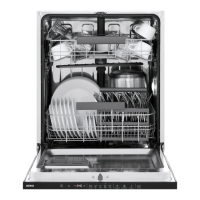
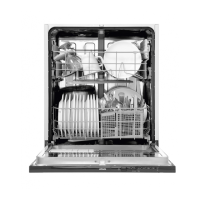
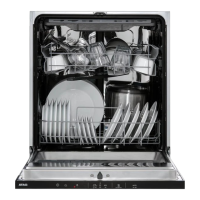
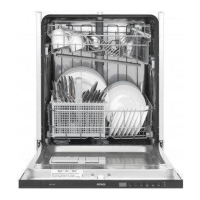
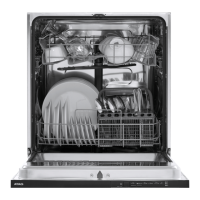
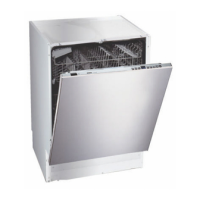
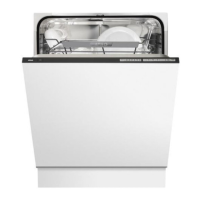
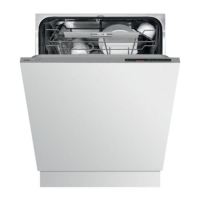
This document provides operating instructions for the ATAG VA8017SRT dishwasher, covering its functions, usage, and maintenance.
Function Description
The ATAG VA8017SRT is a dishwasher designed for household use, capable of washing up to 15 standard place settings. It features a built-in water softener that automatically adjusts to the water hardness of your supply, requiring the addition of special dishwasher salt for optimal performance. The machine offers various wash programmes and modes, including an ECO wash for energy and water efficiency, a Normal wash for daily use, an Auto wash that adapts to dish dirtiness, a Daily wash for slightly dried leftovers, and a Time program for customisable wash durations. Special programmes like Plastic wash, Hygiene wash, Crystal glass, Quick Pro wash, Self-cleaning, Upper half wash, and Lower half wash cater to specific needs. The dishwasher also includes an overflow guard function that pumps out water and turns off the supply if the water level exceeds normal.
Usage Features
Basic Setup:
Upon first use, the dishwasher guides you through initial settings, including language, rinse aid dosage, and water hardness. It's crucial to set the water hardness correctly using the provided test strip or by contacting your local waterworks. Rinse aid improves drying and prevents water marks, with adjustable dosage from 0 (Off) to 5 (High). If using all-in-one detergents with rinse aid, the TAB setting can be activated. Before first use, the salt compartment must be filled with up to 1.0 kg of large grain or special dishwasher salt, along with about 1 litre of water. A programme should be run immediately after adding salt to prevent rust stains.
Loading the Dishwasher:
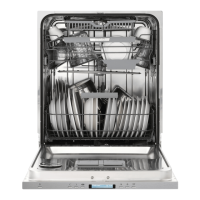
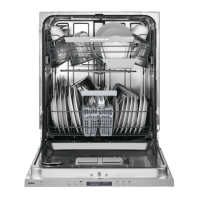
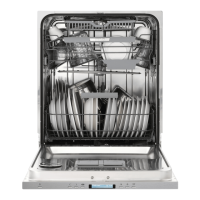
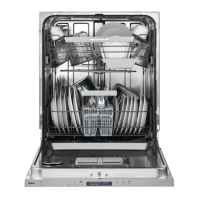
Dishes should be scraped clean of large food particles, not rinsed under running water. All dirty surfaces should face inwards and downwards, and dishes should not touch each other. Items with hollows, like cups, should be angled to allow water to run off. Small items should be placed in the cutlery basket to prevent them from falling through the baskets. The dishwasher has an upper basket for glasses, cups, bowls, side plates, and saucers, a middle basket for low objects and utensils, and a lower basket for plates, serving dishes, pots, and cutlery. Both middle and lower baskets feature foldable tines to accommodate larger items. The cutlery basket can be placed in the middle front of the lower basket for best performance and includes a fold-down section for small items.
Adding Detergent:
Detergent is added to two compartments: one for prewash and one for main wash. The dosage depends on water hardness and should follow packaging instructions. Too much detergent can lead to poor results and environmental impact. Dishwasher tablets are not recommended for short programmes (under 75 minutes). When using all-in-one detergents, the TAB setting can be activated, but the salt compartment must still be filled.
Operating the Dishwasher:
To start, press and hold the main power switch until the display lights up. Select a programme using the navigation buttons, choosing based on dish type and dirtiness. Programme modes like Green (less energy/water, longer time), Speed (shorter time, more energy/water), and Night (lower noise, longer time) can be selected. Options such as Delayed Start (1-24 hours) and Auto Open (door opens automatically at end for better drying) are available. The status light at the bottom indicates programme status: blue for "load more," red for "do not load" or a problem, and green for "unload." To stop or change a programme, open the door and press/hold Start/Stop for three seconds. If power is interrupted, the programme resumes when power is restored.
Drying Results:
For best drying, fully load the dishwasher, angle hollow dishes, top up rinse aid or increase its dosage, activate Auto Open, use the High temperature setting, and allow dishes to cool before unloading. Unload the lower basket first to prevent water drops from the upper basket.
Maintenance Features
Filters:
The dishwasher has a coarse filter and a fine filter. The coarse filter traps larger food particles and should be emptied as necessary. The fine filter is automatically rinsed during each wash but should be cleaned when necessary. To clean, turn the handle anticlockwise, lift the filter, clean, and replace, ensuring it seals properly and the handle points straight out. The dishwasher must not be used without filters.
Spray Arms and Pipes:
The upper spray arm can be removed by pulling out the upper basket and unscrewing the bearings. The middle basket's spray pipes and the lower spray arm can also be checked and cleaned. Holes and bearings on the spray arms can become blocked and should be cleared with a pin. Ensure spray arms rotate freely after cleaning.
Door and Door Seal:
Regularly clean the sides of the door and the door seal with a slightly damp cloth.
Front Panel:
Keep buttons clean and free from grease. Wipe with a dry or slightly damp cloth. Turn off the dishwasher before cleaning buttons to avoid accidental activation.
Dishwasher Tub:
The stainless steel tub is self-cleaning during normal use. For limescale deposits in hard water areas, run the Self-cleaning programme with two tablespoons of citric acid in the detergent compartment (without dishes). Special dishwasher cleaners are also available.
Drainage Pump:
If water remains after a programme, the drainage pump may be blocked. To clear it, turn off and unplug the machine, remove coarse and fine filters, scoop out water, remove the coloured stop in the bottom drain, turn the pump wheel by hand to remove items, then replace the stop and filters.
Inlet Hose Filter:
If the water supply contains small particles, the outer filter on the inlet hose may block, causing a "Water inlet fault." To clean, turn off and unplug the machine, turn off the water tap, unscrew the inlet hose, remove and clean the outer filter, replace it ensuring the gasket is correctly positioned, screw the hose back on, and turn on the water tap, checking for leaks.
Troubleshooting:
The display shows error codes (e.g., F10 for overfilling, F11 for water outlet fault, F12 for water inlet fault) with corresponding actions. Common issues like buttons not reacting, the door not closing, dishes not clean, spots on dishes, rattling sounds, or bad odours are addressed with possible causes and actions, such as checking basket positioning, cleaning spray arms, adjusting detergent/rinse aid, or running self-cleaning programmes.



 To Next Page
 General