EasyManua.ls Logo

ATAGO PR-BUTYRO - User Manual

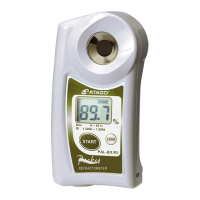
ATAGO PR-BUTYRO
20 pages
Print Icon
To Next Page IconTo Next Page
Loading...
PR-BUTYRO
Cat.No.3454
3454-E07
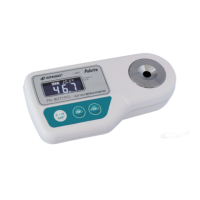
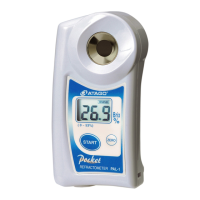
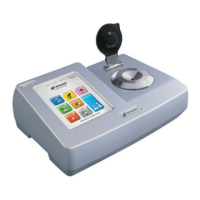
DIGITAL BUTYRO REFRACTOMETER
INSTRUCTION MANUAL
    
20.3
4 6.7
When a malfunction is suspected!
Malfunctions often come from low battery.
Check the battery first, and if the battery is low,
replace it with a new battery.
PRODUCT REGISTRATION & WARRANTY CARD
https://www.atago.net/registration/
english/registration.php
Question and Answer IconNeed help?

Do you have a question about the ATAGO PR-BUTYRO and is the answer not in the manual?

Summary

1. Precautions for use

2. Confirmation of package

3. Names and roles of each part

4. Inserting of battery

5. ELI function

6. Standardization (Zero setting)

7. Measurement on sample

8. About Data Transmission Function

8-1. Introduction

Introduces the instrument's data storage and NFC technology for data history access.

8-2. How to turn ON;OFF the data transmission function

Step-by-step guide on enabling or disabling the data transmission feature.

8-3. Software installation

Details on installing the necessary software for data access on different devices.

8-4. Date and time setting

Instructions for setting the instrument's date and time before data readout.

8-5. Data history readout

Procedures for reading out stored measurement data via NFC.

8-6. Delete data history

Guide on how to erase all stored measurement data from the instrument.

10. Powering off

11. Storage and maintenance

9. Error messages

12. Specifications

13. Repair and warranty

Summary

1. Precautions for use

2. Confirmation of package

3. Names and roles of each part

4. Inserting of battery

5. ELI function

6. Standardization (Zero setting)

7. Measurement on sample

8. About Data Transmission Function

8-1. Introduction

Introduces the instrument's data storage and NFC technology for data history access.

8-2. How to turn ON;OFF the data transmission function

Step-by-step guide on enabling or disabling the data transmission feature.

8-3. Software installation

Details on installing the necessary software for data access on different devices.

8-4. Date and time setting

Instructions for setting the instrument's date and time before data readout.

8-5. Data history readout

Procedures for reading out stored measurement data via NFC.

8-6. Delete data history

Guide on how to erase all stored measurement data from the instrument.

10. Powering off

11. Storage and maintenance

9. Error messages

12. Specifications

13. Repair and warranty

ATAGO PR-BUTYRO Specifications

General IconGeneral
ModelPR-BUTYRO
Resolution (Butyro)0.1 %
Temperature Compensation Range10 to 40°C
Temperature CompensationAutomatic
Ambient Temperature10 to 40°C
Power Supply2 x AAA Batteries
International Protection ClassIP65
Dimensions150 x 70 x 40 mm
Resolution (Brix)0.1 %
Sample Volume0.3ml
Measurement Time3 Seconds
Battery LifeApprox. 11, 000 measurements
CategoryRefractometer
Accuracy (Brix)±0.2%
Accuracy (Butyro)±0.5 %

Related product manuals