EasyManua.ls Logo

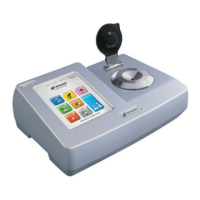
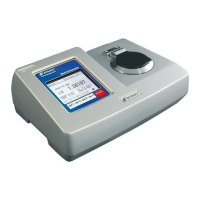
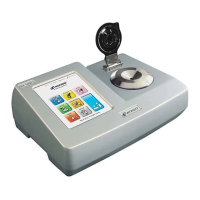
ATAGO RX-9000 i - User Manual

Default Icon
74 pages
Print Icon
To Next Page IconTo Next Page
Loading...
3275-E21
Automatic Digital Refractometer
Instruction Manual
Introduction
Important Information ........................................................ 3
Use Information .................................................................... 3
Safety Information .............................................................. 3
Preparation
Setting up the Instrument ............................................... 8
About Touchscreen ......................................................... 11
Home Screen Icons ......................................................... 12
Basic Settings ................................................................... 13
Security Settings ............................................................. 14
Zero-set Reminder Feature ........................................ 18
Printer Settings ................................................................ 19
Sound Settings .................................................................. 21
System Information Settings....................................... 21
Customizing the Home Screen Layout ................... 22
Measurements
Preparing for Measurements ....................................... 24
Applying and Cleaning off Samples........................... 25
Zero-setting ....................................................................... 26
Measuring Samples .......................................................... 28
Creating, Editing, and Deleting SCALE ................... 31
Reviewing and Recording Measurement Data ...... 37
Connecting to Your Computer ................................... 43
Manual Calibration ........................................................... 50
Supplemental Information ............................................. 52
Tips and Troubleshooting
When Problems Arise ..................................................... 61
Maintenance Tips ............................................................. 63
Instrument Specifications ............................................. 69

Table of Contents

Question and Answer IconNeed help?

Do you have a question about the ATAGO RX-9000 i and is the answer not in the manual?

Summary

Introduction

Safety Information

Essential safety instructions and explanations of icons and symbols.

Preparation

Setting up the Instrument

Guidance on unpacking and setting up the instrument components.

Installation

Instructions for installing the instrument in an appropriate environment.

Powering on

Step-by-step guide on how to power on the instrument.

Powering Off

Procedure for safely turning off the instrument.

Security Settings

Configuration of user access levels and passwords.

Measurements

Applying and Cleaning off Samples

Procedure for applying samples to the prism and cleaning the unit.

Zero-setting

Step-by-step guide for performing zero-setting on the instrument.

Confirm Zero-setting

How to confirm that zero-setting was performed correctly.

Measuring Samples

Detailed steps for taking measurements using the instrument.

Creating, Editing, and Deleting SCALE

Managing user-defined measurement scales.

Reviewing and Recording Measurement Data

How to recall and manage measurement results.

Reviewing Measurement Results

Viewing the history of past measurements.

Saving Data on USB Flash Drive

Steps for exporting measurement data to a USB flash drive.

Connecting to Your Computer

Instructions for establishing communication between the instrument and a PC.

Preparing for Connection

Steps to prepare for PC connection, including drivers.

Manual Calibration

Procedure for manually adjusting the instrument's calibration.

Tips and Troubleshooting

Maintenance Tips

Recommendations for maintaining the instrument's condition.

Self Diagnosis Feature

How to use the self-diagnosis feature to check instrument performance.

Repair, Warranty, and Calibration Information

Details on instrument repair, warranty coverage, and calibration services.

Instrument Specifications

Technical specifications for the various models of the refractometer.

Summary

Introduction

Safety Information

Essential safety instructions and explanations of icons and symbols.

Preparation

Setting up the Instrument

Guidance on unpacking and setting up the instrument components.

Installation

Instructions for installing the instrument in an appropriate environment.

Powering on

Step-by-step guide on how to power on the instrument.

Powering Off

Procedure for safely turning off the instrument.

Security Settings

Configuration of user access levels and passwords.

Measurements

Applying and Cleaning off Samples

Procedure for applying samples to the prism and cleaning the unit.

Zero-setting

Step-by-step guide for performing zero-setting on the instrument.

Confirm Zero-setting

How to confirm that zero-setting was performed correctly.

Measuring Samples

Detailed steps for taking measurements using the instrument.

Creating, Editing, and Deleting SCALE

Managing user-defined measurement scales.

Reviewing and Recording Measurement Data

How to recall and manage measurement results.

Reviewing Measurement Results

Viewing the history of past measurements.

Saving Data on USB Flash Drive

Steps for exporting measurement data to a USB flash drive.

Connecting to Your Computer

Instructions for establishing communication between the instrument and a PC.

Preparing for Connection

Steps to prepare for PC connection, including drivers.

Manual Calibration

Procedure for manually adjusting the instrument's calibration.

Tips and Troubleshooting

Maintenance Tips

Recommendations for maintaining the instrument's condition.

Self Diagnosis Feature

How to use the self-diagnosis feature to check instrument performance.

Repair, Warranty, and Calibration Information

Details on instrument repair, warranty coverage, and calibration services.

Instrument Specifications

Technical specifications for the various models of the refractometer.

ATAGO RX-9000 i Specifications

General IconGeneral
ModelRX-9000i
Light SourceLED
OutputUSB, RS-232C
Sample Volume0.3 mL
Measurement Range (Brix)0.0 to 100.0%
Minimum Indication (Refractive Index nD)0.00001 nD
Power SupplyAC 100-240V, 50/60Hz
DisplayLCD

Related product manuals