EasyManua.ls Logo

ATAGO RX-5000i - User Manual

ATAGO RX-5000i
10 pages
Print Icon
To Next Page IconTo Next Page
Loading...
P-OQ1011-3276-J01
1
Operational
Qualification (OQ)
Automatic Digital
Refractometer RX-5000i
Performance Test of RX-5000i Automatic Digital Refractometer
Preface
The Operational Qualification (OQ) procedures of the RX-5000i Automatic Digital
Refractometer are described herewith.
The OQ performance test is to be executed by an operator who is familiar with the operation
of the RX-5000i. For daily inspection and maintenance, refer to the Standard Operational
Procedure (SOP).
1Test Environment and Preparation
Turn the power on to the RX-5000i Automatic Digital Refractometer and let it warm up
for at least 20 minutes in an environment that satisfies the following conditions before
initiating the OQ test. The instrument may not perform to the required specifications if
tested in an environment that deviates from the criteria below.
Performance Test Environment
Ambient temperature:
15.0-30.0
Relative humidity:
Below 85%
Power supply:
AC 100V, 50/60Hz
The RX-5000i should be placed indoors on a level surface, such as a desk or table.
2
Standard of Evaluation
A performance test requires a standard of evaluation.
Consider the stated accuracy level of the RX-5000i as well as the accuracy level required
Caution
The refractive index of a solution (standard sucrose solution, calibration
liquid) changes with temperature.
Ideally, the temperature of: 1) the prism of the RX-5000i; 2) the solution
(standard sucrose solution, calibration liquid); and 3) the test environment
should be equal for accurate measurements. It is recommended to maintain
the prism and the solution at a temperature that is within 4
away from the
ambient temperature.

Other manuals for ATAGO RX-5000i

Question and Answer IconNeed help?

Do you have a question about the ATAGO RX-5000i and is the answer not in the manual?

Summary

Performance Test Procedures

Test Environment and Preparation

Prepare the test environment and instrument by setting ambient temperature, humidity, and power supply.

Standard of Evaluation

Define the criteria for evaluating the instrument's performance and accuracy.

Measurement Accuracy and Repeatability Validation

Verify the instrument's accuracy and repeatability by measuring samples of known concentration.

Necessary Items for Performance Test

List of samples, tools, and log sheets required for the performance test.

Instrument Preparation for Performance Test

Steps to prepare the instrument, including warm-up, mode settings, date/time, and print settings.

Measurement Procedure

Detailed steps for performing measurements using distilled water and standard solutions.

Recorded Data Review

Cross-reference and verify recorded measurement data for consistency.

Performance Test Results Publication

Record, calculate, and compare test results against the standard of evaluation.

Function Test Procedures

Instrument Preparation for Function Test

Prepare the instrument and printer for the function test, including warm-up and settings.

Necessary Items for Function Test

List of samples and solutions required for function testing.

Function Testing

Execute various tests to verify display, touch keys, error messages, and outputs.

Display Test

Verify correct display of opening message and home screen without errors.

Touch Key Test

Test navigation through the setup and measurement screens using touch keys.

Error Message Test

Induce and verify specific error messages like 'OUT OF WATER' or 'OUT OF RANGE'.

Printer Output Test

Confirm correct data printing for zero-setting and measurements when printer is connected.

RS-232 C Output Test

Verify data transmission via RS-232C to a PC using HyperTerminal.

USB Data Storage Test

Test saving measurement data to a USB flash drive and checking contents on a PC.

Function Test Results Publication

Record function test items and evaluate results for final verdict.

Summary

Performance Test Procedures

Test Environment and Preparation

Prepare the test environment and instrument by setting ambient temperature, humidity, and power supply.

Standard of Evaluation

Define the criteria for evaluating the instrument's performance and accuracy.

Measurement Accuracy and Repeatability Validation

Verify the instrument's accuracy and repeatability by measuring samples of known concentration.

Necessary Items for Performance Test

List of samples, tools, and log sheets required for the performance test.

Instrument Preparation for Performance Test

Steps to prepare the instrument, including warm-up, mode settings, date/time, and print settings.

Measurement Procedure

Detailed steps for performing measurements using distilled water and standard solutions.

Recorded Data Review

Cross-reference and verify recorded measurement data for consistency.

Performance Test Results Publication

Record, calculate, and compare test results against the standard of evaluation.

Function Test Procedures

Instrument Preparation for Function Test

Prepare the instrument and printer for the function test, including warm-up and settings.

Necessary Items for Function Test

List of samples and solutions required for function testing.

Function Testing

Execute various tests to verify display, touch keys, error messages, and outputs.

Display Test

Verify correct display of opening message and home screen without errors.

Touch Key Test

Test navigation through the setup and measurement screens using touch keys.

Error Message Test

Induce and verify specific error messages like 'OUT OF WATER' or 'OUT OF RANGE'.

Printer Output Test

Confirm correct data printing for zero-setting and measurements when printer is connected.

RS-232 C Output Test

Verify data transmission via RS-232C to a PC using HyperTerminal.

USB Data Storage Test

Test saving measurement data to a USB flash drive and checking contents on a PC.

Function Test Results Publication

Record function test items and evaluate results for final verdict.

Overview

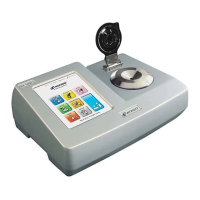
The ATAGO RX-5000i is an automatic digital refractometer designed for precise measurement of refractive index and Brix values. It is intended for use in operational qualification (OQ) procedures, ensuring that the instrument performs according to its intended purpose and specifications. The device operates on the principle of light refraction, utilizing an optical system in conjunction with electrical and electronic components to calculate refractive index.

Function Description

The primary function of the RX-5000i is to accurately measure the refractive index and Brix of various solutions. It is capable of performing zero-setting, measuring samples, and displaying results on its screen. The instrument supports multiple measurement modes and allows for the setting of a target temperature, typically 20.00°C, to ensure consistent and accurate readings. It can measure a range of samples, including distilled water, standard sucrose solutions (e.g., 10.00% Brix and 30.00% Brix), and standard liquids with known refractive indices (e.g., 1.51 nD).

The RX-5000i also includes several advanced functions:

  • Error Message Display: The device can detect and display various error messages, such as "OUT OF WATER" if zero-setting is attempted with a solution other than distilled water, or "OUT OF RANGE" if the measured value falls outside the instrument's measurement capabilities. It can also display "OUT OF SCALE" if a user-programmed scale is exceeded.
  • User Scale Programming: Operators can program custom scales by entering refractive index values (nD) and corresponding concentrations (DATA). This feature allows for tailored measurements based on specific application requirements.
  • Data Storage: The instrument can store up to 500 measurement data points in its internal memory. This data can be recalled on the measurement screen and cross-referenced with manually recorded log sheets.
  • Data Output: The RX-5000i supports various data output methods:
    • Printer Output: When connected to a printer, the device can print measurement values (nD and Brix), measurement temperature, sample numbers, and other relevant information.
    • RS-232C Output: The instrument can be connected to a PC via an RS-232C cable to transmit measurement data. This allows for remote control commands, such as zero-setting and initiating measurements, from the PC.
    • USB Data Storage: Measurement data can be saved to a USB flash drive, facilitating easy transfer and analysis on a computer.

Usage Features

The RX-5000i is designed for user-friendly operation, with several features to enhance the measurement process:

  • Warm-up Period: The instrument requires a warm-up period of at least 20 minutes after being powered on to ensure stable and accurate performance.
  • Touch Screen Interface: The device features a touch screen for navigation and input. Operators can access various menus, adjust settings, and initiate measurements by touching icons such as "MEASUREMENT," "MODE," "SET UP," "SCALE," and "HOME."
  • Temperature Control: The instrument allows for setting a target temperature, which is crucial for accurate measurements as the refractive index of solutions changes with temperature. It is recommended to maintain the prism and solution temperature within 4°C of the ambient temperature for optimal results.
  • Measurement Procedure: The standard measurement procedure involves applying the sample to the prism, touching "START" or "ZERO," and waiting for the reading to appear. The device displays "WAITING" while stabilizing and "READING" when a stable measurement is obtained.
  • Print Settings Customization: Users can customize print settings to include specific data points such as DATE, TIME, SERIAL NO, MODE, NOTE, and Brix/nD values in the printed output.
  • Date and Time Display: The instrument displays the current date and time, which is important for data logging and record-keeping.
  • Mode Selection: The RX-5000i supports different measurement modes, allowing operators to select the most appropriate mode for their application.
  • Wait Time Function: The device can be programmed with a "WAIT TIME" function, which introduces a delay before taking a measurement, ensuring that the sample has reached a stable temperature or condition.

Maintenance Features

Maintaining the RX-5000i is straightforward, with several features and recommendations to ensure its longevity and accurate performance:

  • Prism Cleaning: Regular cleaning of the prism is essential. The manual recommends using tissue paper and ethyl alcohol to wipe off solutions after each measurement. This prevents residue buildup that could affect measurement accuracy.
  • Environmental Conditions: The instrument should be operated within specified environmental conditions: ambient temperature between 15.0-30.0°C and relative humidity below 85%. It should be placed indoors on a level surface.
  • Data Consistency Check: The device allows for cross-referencing recorded data on log sheets with data stored in the instrument's memory or printed from a connected printer. This helps in verifying the consistency and integrity of measurement records.
  • Memory Management: The RX-5000i automatically manages its internal memory. Once the maximum capacity of 500 data points is reached, the oldest measurement value is deleted to accommodate new data.
  • Instruction Manual Reference: For detailed daily inspection and maintenance procedures, operators are advised to refer to the Standard Operational Procedure (SOP) and the RX-5000i instruction manual. This ensures that all maintenance tasks are performed correctly and regularly.
  • Calibration and Performance Tests: The OQ performance test, as outlined in the manual, serves as a comprehensive check of the instrument's accuracy and repeatability. This involves measuring known standards and comparing the results against established evaluation criteria.

ATAGO RX-5000i Specifications

General IconGeneral
ModelRX-5000i
Resolution (Brix)0.01%
Temperature CompensationAutomatic
Light SourceLED
DisplayLCD
Measurement Range (Refractive Index)1.32700 to 1.58000
Measurement Range (Brix)0.00 to 100.00%
Resolution (Refractive Index)0.00001
Accuracy (Brix)±0.1
Sample Volume0.3 mL
InterfaceUSB
Power SupplyAC adapter
Weight1.5 kg
Accuracy (Refractive Index)±0.0002 nD

Related product manuals