Getting started
2
Quick reference guide - handset
Main menu
Play messages (page 78)
Answering sys (page 66)
Directory (page 49)
Caller ID log (page 59)
Intercom (page 40)
Ringers (page 14)
Set date/time (page 15)
Settings (page 16)
Website (page 21)
•
•
•
•
•
•
•
•
•
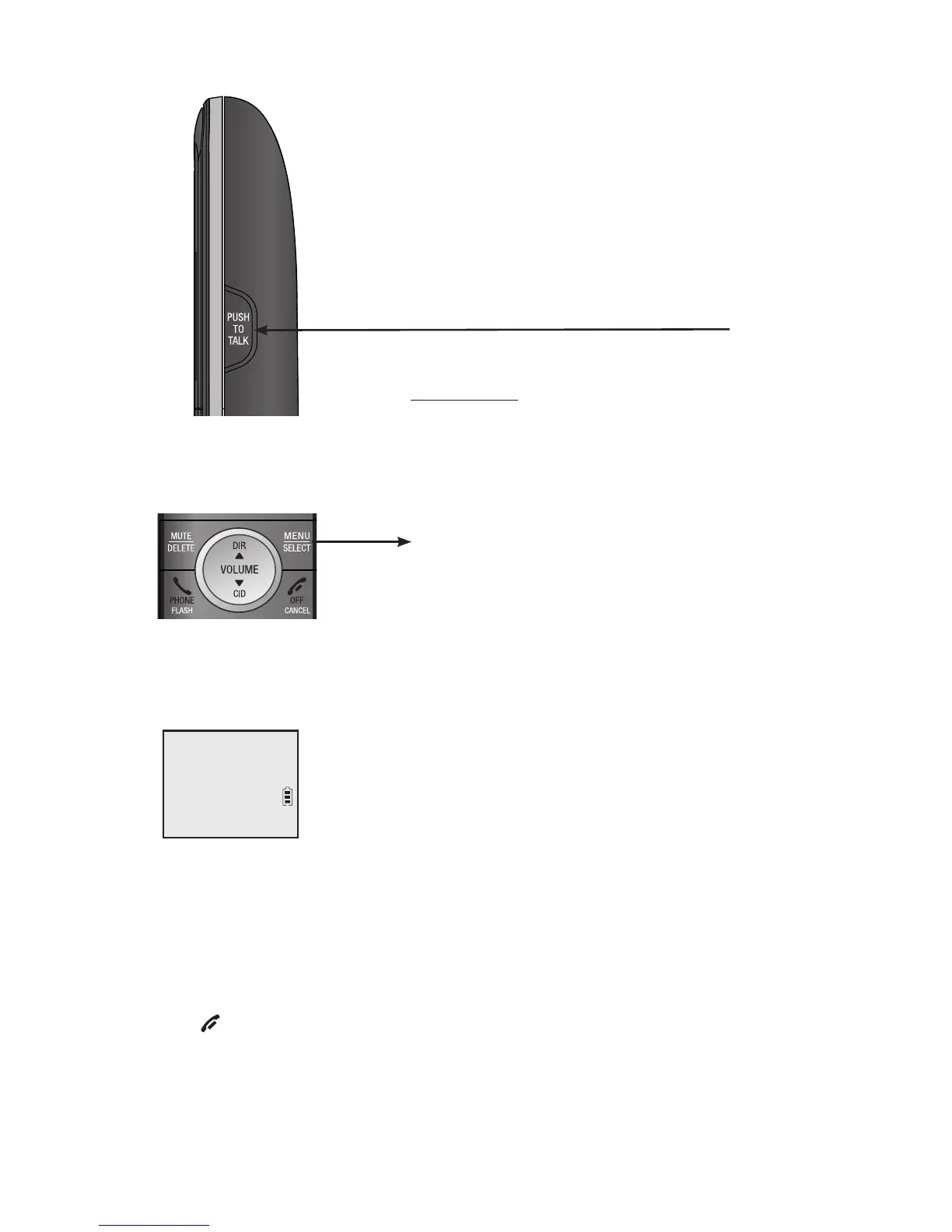
Using menus:
Press MENU/SELECT to show the menu.
Press qCID or pDIR to scroll through menu items.
Press MENU/SELECT to confirm or save changes to a highlighted menu item.
Press OFF/CANCEL to cancel an operation, back up to the previous
menu, or exit the menu display.
•
•
•
•
PUSH TO TALK
Press to initiate a one-to-one (page 44)
or one-to-group broadcast (page 46).
Press and hold to broadcast to a group of
system devices (page 46).
The > symbol highlights
a menu item.
>Play messages
Answering sys
p
q
Main menu


 To Next Page
 Loading...