EasyManua.ls Logo

Atari WARLORDS - Interlock and Power On;Off Switches

Atari WARLORDS
53 pages
Print Icon
To Next Page IconTo Next Page
To Previous Page IconTo Previous Page
Loading...
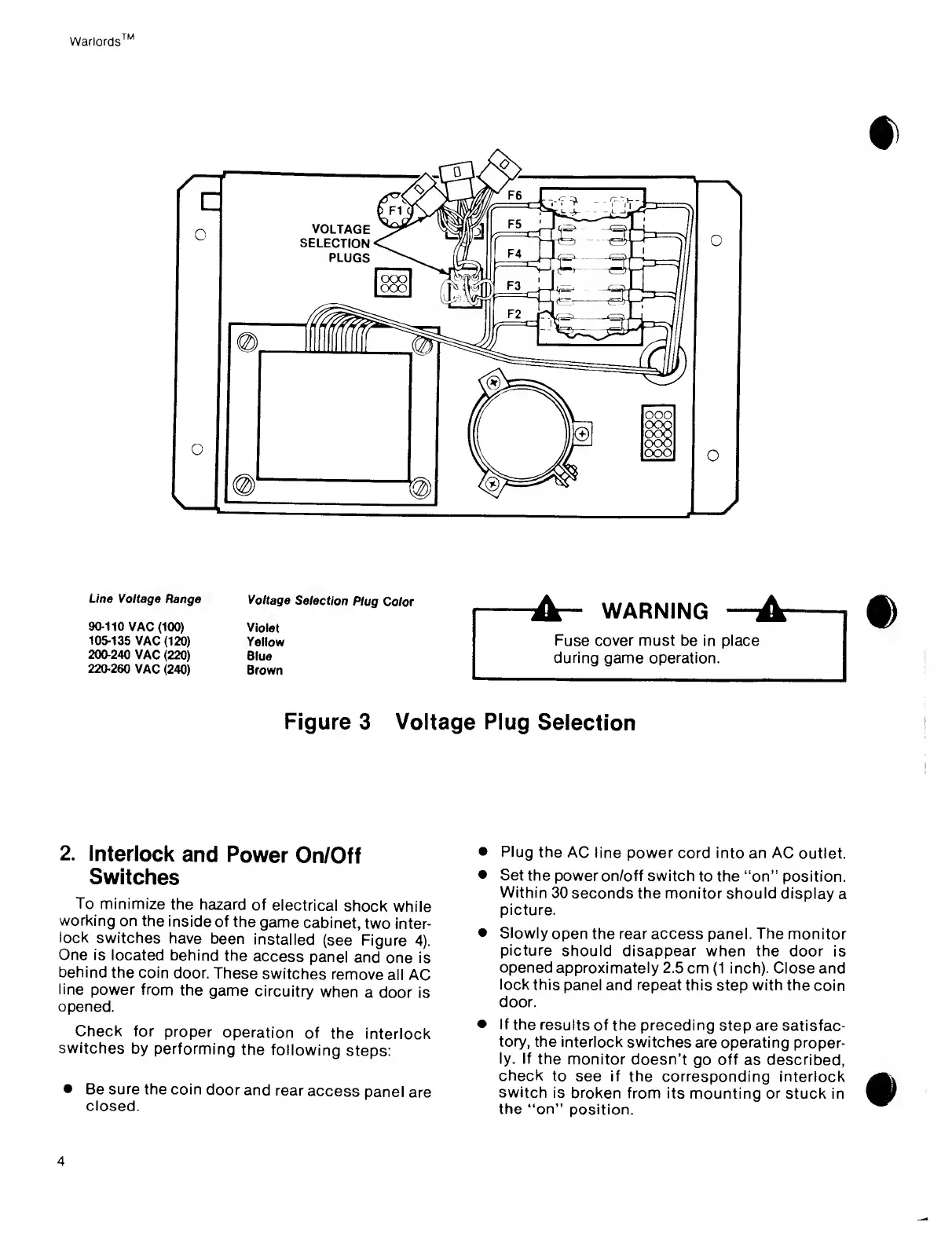
Warlords
TM
Line Voltage
Range
Voltage
Selection
Plug
Color
90-110
VAC
(100) Violet
105-135
VAC
(120) Yellow
200-240
VAC
(220)
Blue
220-260
VAC
(240)
Brown
A“
WARNING
A
Fuse cover
must
be in
place
during game operation.
Figure
3 Voltage Plug
Selection
2.
Interlock
and
Power
On/Off
Switches
To
minimize the
hazard
of
electrical
shock
while
working
on the
inside
of
the
game
cabinet,
two inter-
lock
switches
have
been
installed
(see Figure
4).
One is
located
behind
the
access
panel
and
one is
behind the
coin
door.
These
switches
remove
all AC
line
power
from
the
game
circuitry
when
a
door is
opened.
Check for
proper
operation
of
the
interlock
switches
by performing
the
following
steps:
Be sure the coin
door
and
rear
access
panel
are
closed.
Plug
the
AC line
power cord into an AC
outlet.
Set
the power
on/off
switch
to
the “on”
position.
Within
30
seconds the monitor
should
display
a
picture.
Slowly
open the rear access panel.
The
monitor
picture
should disappear when the door
is
opened
approximately 2.5
cm
(1
inch). Close
and
lock
this
panel and repeat this
step
with the
coin
door.
If
the
results of
the preceding
step
are
satisfac-
tory,
the interlock
switches
are operating
proper-
ly. If
the
monitor
doesn’t
go
off
as described,
check
to
see
if
the corresponding
interlock
switch is
broken from its mounting or
stuck in
the
“on”
position.
4

Related product manuals