AWM-A71 Page 2 of 4
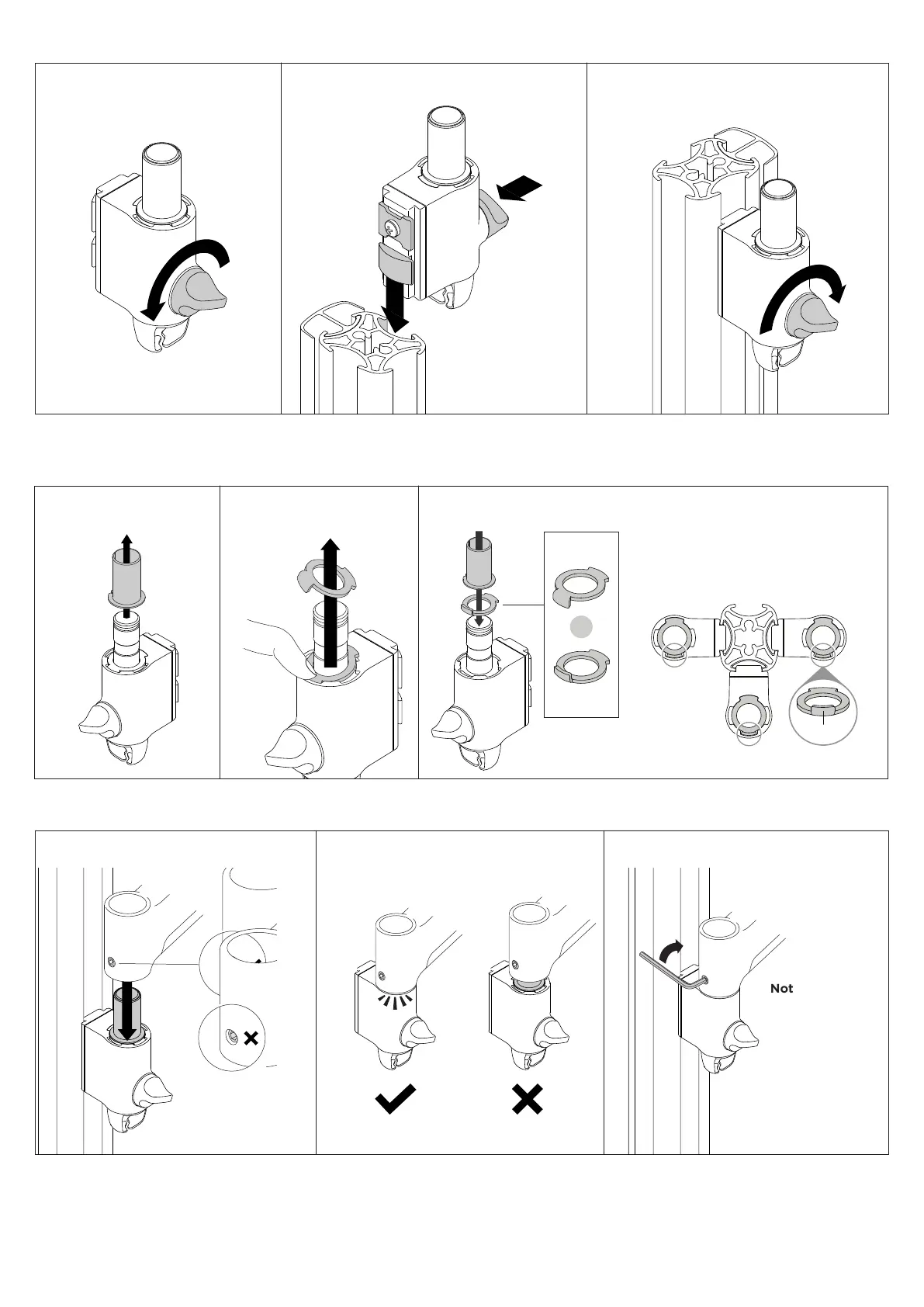
3. Place the rotation ring
in the desired postion
2. Set arm rotation to 180° (optional)
2.1 Remove plastic sleeve
from post clamp.
2.2 Remove rotation ring. 2.3 Place rotation ring in
desired position.
Note: rotation ring placement
depends on the position of the clamp
on the post. The tag on the ring
should always face toward the user.
1. Press
2. Lift
Note rotation is set to 360� by default.
180°
360°
OR
Default
Position
Flipped
Position
1. Fix clamp to Post or Wall Channel
1.1 Ensure knob is undone. 1.2 Slide post clamp into channel.
Push knob to
aid insertion
1.3 Hold clamp in desired position on
channel and turn knob to lock in place.
Tip: push knob
to aid insertion
2. Slide post clamp into channel
3. Hold clamp in desired position on post and turn
knob to lock in place
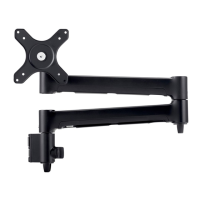
3. Fit arm onto post clamp
Note: Check the
arm rotation is
smooth after
tightening.
3.1 Push arm onto shaft. 3.2 Ensure arm is fully pushed onto shaft. 3.3 Tighten joint screw.
2. Ensure arm is fully pushed onto clamp
3. Tighten set screw
Tip: Check the
arm rotation is
smooth after
tightening.


 To Next Page