AWM-A71 Page 3 of 4
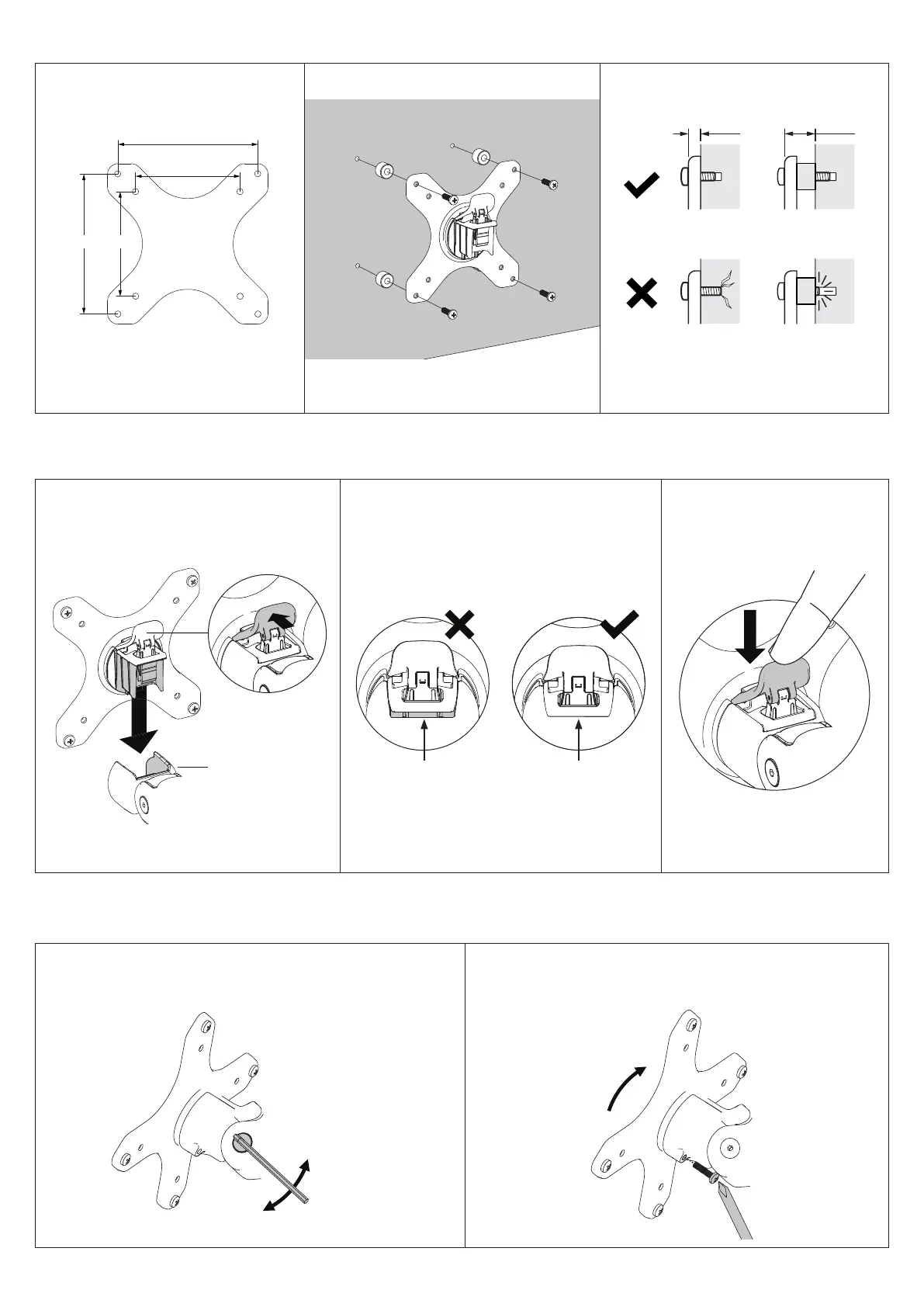
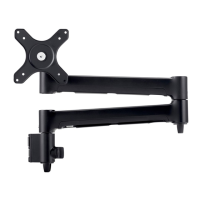
5. Mount monitor
6. Adjust tilt tension & Install security screw
Gap No gap
Monitor arm
5.2 Ensure that the VESA head sits flush within
the monitor arm. There should be no gap.
6.1 Use the allen key to adjust the tilt tension until the monitor
holds in a vertical position at the end of the arm.
Note: Support
monitor while
adjusting.
6.2 OPTIONAL security screw
To install the optional security screw tilt the head upwards
Tighten
Loosen
5.1 Insert VESA head into the monitor arm 5.3 Push the lever down to
secure monitor to the arm
assembly
4. Attach VESA head to monitor
Flush
Too long Too short
Spacer
5mm 12mm
4.2 Screw the VESA head onto monitor
Note spacers may be required for curved,
recessed or uneven monitor surfaces.
4.3 Ensure the correct screw length is used
to attach the monitor.
4.1 VESA mounting compatibility
100mm
75mm
100mm
75mm
Flush
Too long Too short
Spacer
5mm 12mm
Note: For other sizes, use a suitable
adaptor plate (sold separately).


 To Next Page