AWMS-2-BT75-FS Page 2 of 4
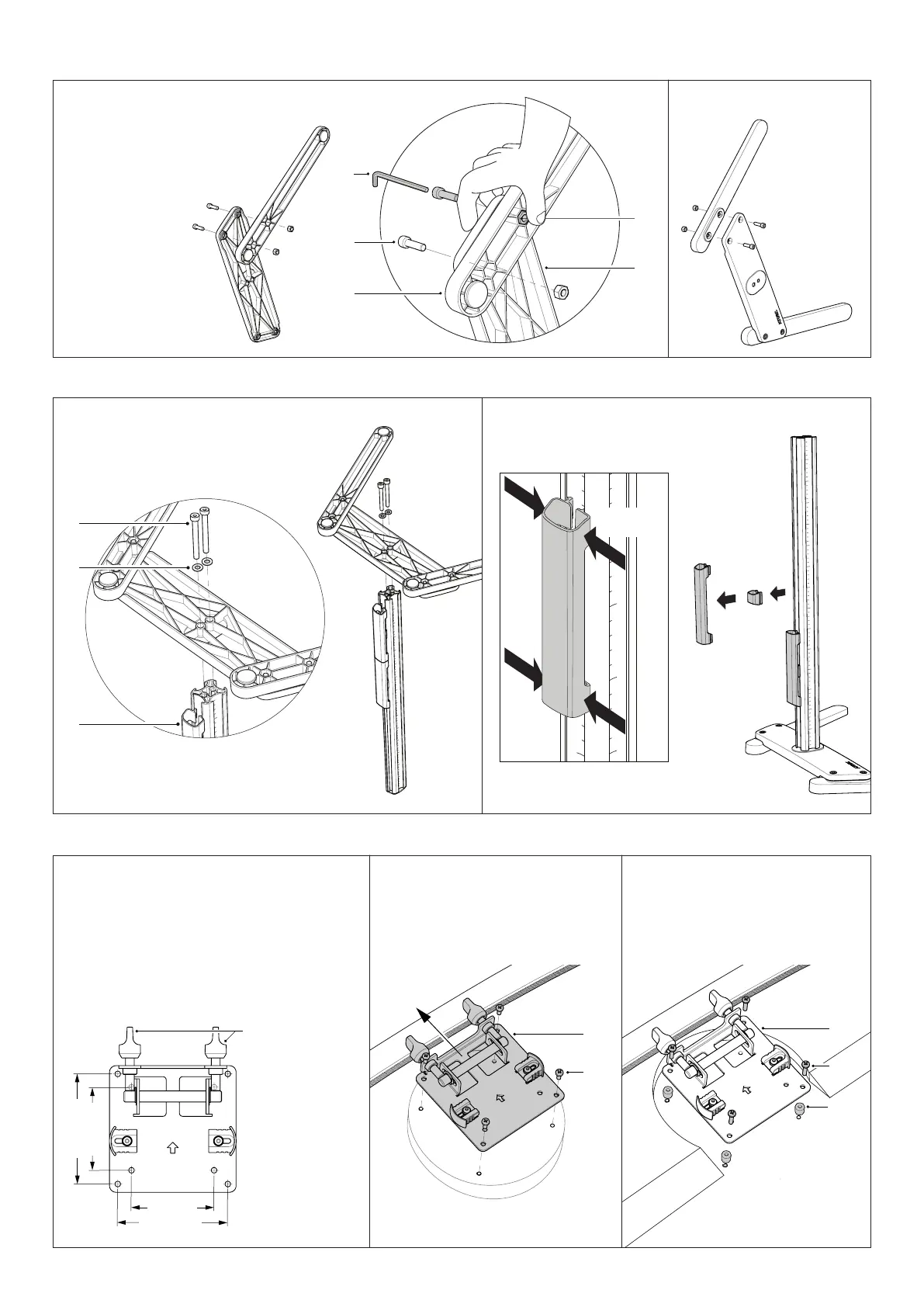
2. Attach post to base
2.1 Insert M8x80 cap screws (x2)
through M8 washers and holes
in base then fasten to post.
Tightenrmly.
2.2 Remove clips and covers
from post by sliding up and
out or by squeezing sides.
NOTE:
Assemble with Cable Covers facing backwards
(Towards the small side of Base)
1. Assemble base
1.1 Align bridge holes and leg
holes. Use 6mm hex key.
Hold M8 nut in hexagonal
recess until M8x30 cap screw
engages. Tighten screw.
1.2 Repeat on opposite leg.
3. Attach VESA plates to displays
NOTE:
Rest short end
of bridge on a
soft surface while
fastening
3.1 VESA compatibiliy, Option A Attach VESA
plate with M4x10mm
screws.
Option B For recessed
VESA use 10mm spacers
and M4x20mm screws.
C
B
G
H
F
I
J
A
SQUEEZE
to release
NOTE:
Some displays require the use of
a VESA adapter before attaching
the VESA plate. This VESA adapter
may ship in the box with the display.
Consult your display’s installation
guide for further information.
75mm
100mm
75mm
100mm
For 75mm VESA
unscrew 5mm to
access top holes
E
L
TOP
E
M
N


 To Next Page